Guide to Peer-to-Peer (P2P) Payment Apps: Everything You Need to Know Before Sending Money
Key Takeaways
- •Major P2P payment platforms differ significantly in features, with Zelle transferring funds directly between bank accounts without holding balances and Apple Cash being restricted to Apple device users.
- •Most P2P apps offer free standard transfers that can take up to three business days, while instant transfers and credit card-funded payments typically incur fees.
- •P2P payment transactions are generally irreversible and do not include purchase protection, unlike credit card transactions.
- •The Consumer Financial Protection Bureau has raised concerns about fraud on P2P platforms and whether consumer protections are adequate, particularly for scams involving authorized payments.
- •Some P2P apps provide pass-through FDIC insurance on in-app balances through partnerships with insured banks, but this coverage varies by platform and does not protect against fraud or payments sent to the wrong recipient.
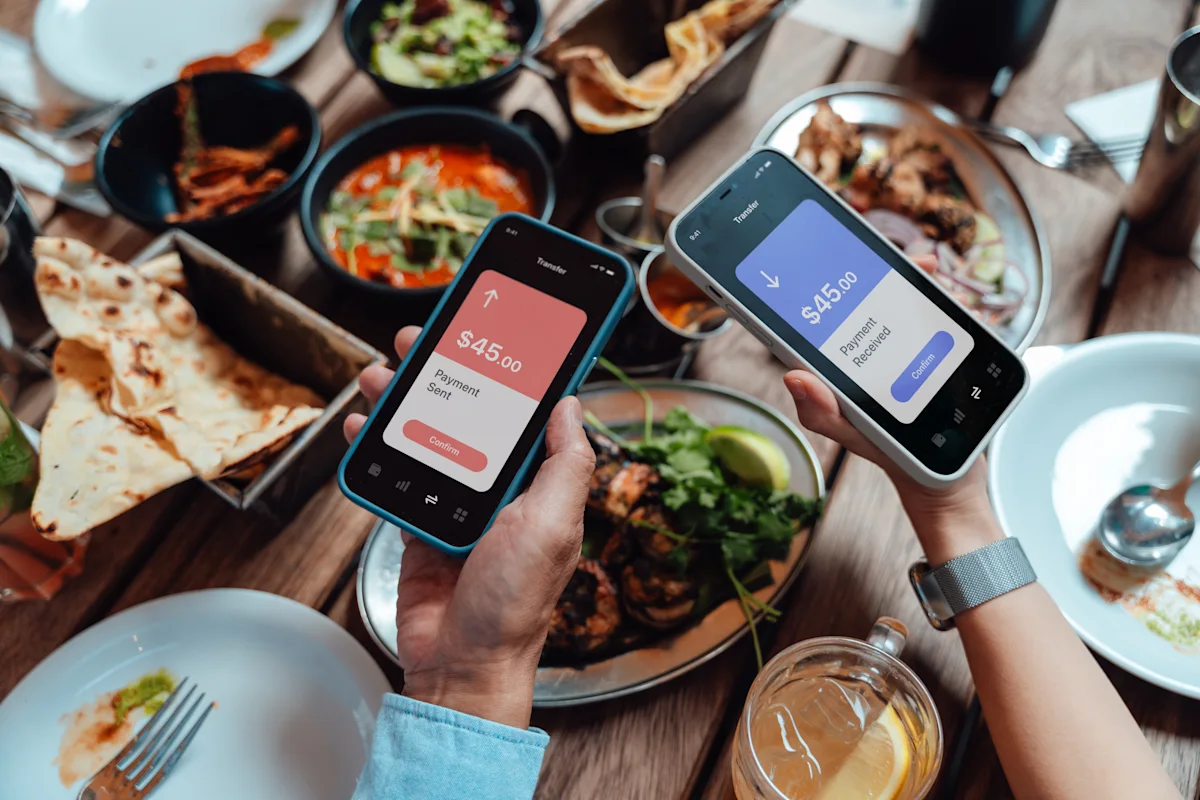
Peer-to-peer (P2P) payment apps have become one of the most popular ways to exchange money, allowing users to transfer funds to friends and family with just a few taps on a smartphone. The adoption of these platforms accelerated sharply during the pandemic, and usage has continued to climb as cash and check transactions decline across the U.S. economy. However, despite their convenience, not all P2P apps are created equal. Understanding how they work, their associated costs, and the security features they provide can help users select the right platform and avoid costly mistakes.
What Is a Peer-to-Peer (P2P) Payment App?
A P2P payment app enables users to send and receive money from friends and family members using a linked bank account, debit card, or an in-app balance. These apps make it straightforward to split bills, share expenses, or reimburse purchases without the need for cash or checks. For instance, someone sharing a phone plan with family members can use a P2P app to send their portion of the monthly bill directly to the relative who manages the account.
Common examples of P2P payment apps include:
- Venmo
- Cash App
- PayPal
- Zelle
- Apple Cash
How Do P2P Payment Apps Work?
P2P payment apps typically require users to download the application and create an account. Users must then link a bank account, debit card, or credit card to begin transacting.
In most cases, the recipient must also have an account on the same P2P platform. For example, to send money via Venmo, the recipient needs a Venmo account. To locate a payee within an app, users can generally search by name, phone number, or email address.
Depending on the platform, users may be able to maintain a balance within the app for future transactions or transfer funds to a linked external account. Some services, such as Zelle, send money directly to the recipient's bank account rather than holding an in-app balance.
For many P2P apps, standard transfers are free and can take up to three business days to complete. Users often have the option to pay a fee for instant transfers.
Popular P2P Payment Apps Compared
Venmo
Venmo, owned by PayPal, allows users to request or send money to friends, family, or local businesses from a linked bank account, credit card, or Venmo balance. Payments and requests can be initiated by searching for a recipient's username or scanning their personal QR code.
Standard transfers are typically free, while instant transfers incur a 1.75% fee. Beyond in-app payments, Venmo offers a debit card that lets users spend their Venmo balance while earning up to 5% cash back.
Pros:
- Standard transfers are free
- Free rewards debit card available
- Can pay family, friends, and local businesses
Cons:
- Fee for instant transfers
- Fee for credit card transfers
Cash App
Cash App, operated by Block (formerly Square), enables free payments to friends and family using a linked debit card, bank account, or Cash App balance. Payments can be sent to anyone with a Cash App account, though recipients must create an account to accept funds.
Standard transfers are free, with the exception of credit card transactions, which carry a 3% fee. Instant transfers are subject to a fee ranging from 0.5% to 1.75%. Cash App also offers optional features including a free debit card, Afterpay payment plans, discounts and rewards, and investment capabilities. Users can add money to their Cash App account through in-store deposits at participating retailers.
Pros:
- Free standard transfers
- Can use Afterpay to pay over time
- Can deposit money into your Cash App account at certain retailers
- Free debit card available
Cons:
- Fee for credit card transactions
- Fee for instant transfers
PayPal
PayPal allows users to send and receive money, request payments, and pool funds with friends for group purchases. It is also a widely accepted payment method for online shopping. PayPal offers a range of additional products and services, including a PayPal debit card, a high-yield savings account, payment plans, and rewards.
Sending money from a bank account or PayPal balance is free. Transfers funded by a debit or credit card incur a 2.9% transaction fee plus a $0.30 flat fee. Instant transfers carry a 1.75% fee.
Pros:
- Free transfers from bank account and PayPal balance
- Widely available with a variety of features and products
- Can request money with a link instead of looking up someone's username
Cons:
- Fees for debit and credit card transfers
- Fees for instant transfers
Zelle
Zelle enables fast payments to family and friends, with money moving directly from one bank account to another. Unlike other P2P apps, Zelle does not allow users to carry a balance — funds go straight into the recipient's bank account. Zelle was developed by Early Warning Services, a consortium owned by major U.S. banks including Bank of America, JPMorgan Chase, and Wells Fargo, which is why it is integrated directly into many banking apps rather than operating as a standalone service.
There are typically no fees associated with Zelle, and transfers are usually available within minutes. However, a user's bank or credit union must support Zelle for the service to be accessible. There is no standalone Zelle app; instead, users access Zelle through their online banking portal.
Pros:
- Typically no fees, though Zelle recommends confirming with your bank or credit union
- Money goes directly to bank account; no transfers needed
- Near-instant transfers
Cons:
- Your bank must be supported by Zelle
- No standalone app
Apple Cash
Apple Cash is a P2P payment platform built into the iPhone. Users can send cash through Messages, Wallet, or Tap to Cash. Apple Cash provides a digital card accessible in Apple Wallet for use in stores or online. Funds can be transferred to a bank account or spent via Apple Pay or a virtual card number.
The platform is limited to users with Apple products.
Pros:
- Multiple ways to send and spend money
- Built into Apple products
Cons:
- Limited to Apple users
Pros and Cons of P2P Payment Apps
Advantages:
- Users can send and receive money without sharing bank account numbers
- P2P payment apps are usually free to use
- Transactions can be completed without cash or checks
Disadvantages:
- Payments typically cannot be cancelled or reversed
- There is a risk of sending money to the wrong person or falling victim to scams
- Some apps charge fees for instant payments or credit card transactions
- Transaction limits can be restrictive
Are P2P Payment Apps Safe?
P2P payment apps are generally considered safe. Many employ encryption, account monitoring, and multi-factor authentication to protect user information. However, no system is entirely foolproof.
A key distinction is that, unlike credit cards, P2P payment apps do not offer purchase protection. P2P transactions function similarly to cash — once money is sent, it generally cannot be reversed. This irreversibility has drawn attention from the Consumer Financial Protection Bureau (CFPB), which has raised concerns about fraud on P2P platforms and the adequacy of consumer protections, particularly around scams in which users are tricked into authorizing payments.
Some P2P apps have expanded pass-through FDIC insurance coverage for in-app balances by partnering with FDIC-insured banks, meaning funds held in those balances may be protected if the bank fails. However, this coverage varies by platform and program, and does not protect against fraud or sending money to the wrong person. Users should review each app's specific terms rather than assuming their balance is insured.
The following practices can help users stay safe:
- Set up transaction alerts for incoming and outgoing payments
- Keep your P2P app updated to the latest version
- Only send money to people you know and trust
When Should You Use a P2P Payment App?
P2P payment apps are best suited for casual transactions with trusted individuals. In general, a P2P app is appropriate when:
- You know and trust the recipient
- The transaction amount is relatively small
- You would be comfortable not recovering the funds if something went wrong
- You need a convenient, quick, and free payment method
Common use cases include splitting household bills with roommates, paying your share of a group meal, sending a gift to a family member, or paying a babysitter.
When to Use Another Payment Method
A different payment method may be more appropriate when additional security or documentation is needed. In general, avoid using a P2P app when:
- You do not know the recipient
- You want purchase protection on the transaction
- You receive a suspicious payment request
- You are making a large purchase
How to Choose the Best P2P Payment App
Several factors can help determine which app is the best fit:
- Features: While certain capabilities are common across platforms, others vary. For example, if paying for online purchases is a priority, PayPal may be a better choice than Venmo. Consider whether features such as a debit card, balance-carrying capability, discounts and rewards, or investment functionality are important.
- Convenience: The most practical option often depends on what app friends and family already use. If everyone in a social circle uses Venmo, adopting the same app simplifies transactions.
- Compatibility: Depending on your bank and devices, certain P2P apps may not be available. For example, your bank must support Zelle, and Apple Cash requires an Apple product.
P2P Payment Apps vs. Other Payment Methods
P2P Apps vs. Bank Transfers
P2P apps are typically more convenient than bank transfers because users do not need to exchange bank account information. This can also help protect privacy when dealing with unfamiliar parties.
However, bank transfers can offer higher limits and greater security. Banks carry FDIC insurance, while P2P apps generally do not, meaning funds held in a bank account are protected whereas money held in a P2P app balance may not be — unless the app offers pass-through FDIC coverage through a partner bank.
P2P Apps vs. Credit Cards
Credit cards provide more robust safety features than P2P apps, including purchase protection, making them more suitable for large purchases. Credit cards are also widely accepted both in person and online and frequently offer rewards and additional benefits. However, they are generally not ideal for peer-to-peer transactions and may incur fees when used within a P2P app.
P2P Apps vs. Digital Wallets
P2P payment apps and digital wallets are sometimes confused, but they are distinct technologies. A digital wallet stores payment information such as virtual credit cards, while a P2P app facilitates the actual transfer of funds. For example, Apple Cash is a P2P payment app, whereas Apple Pay is a digital wallet. P2P apps are primarily designed for paying friends and family, while digital wallets can be used more broadly for online and in-store purchases.

