How to Use Arc: Wallet Setup, USDC Transfers, Gas Fees, and Getting Started
Key Takeaways
- •Arc, a blockchain network developed by Circle, is designed as a settlement layer for internet-native financial applications and is scheduled to launch its public mainnet on September 16, 2026.
- •Arc denominates network gas fees in USDC, eliminating a separate gas token but requiring users to hold a USDC buffer beyond transfer amounts.
- •edgeX will launch on Arc mainnet on September 16, 2026, offering on-chain FX perpetuals starting with JPY and more than 150 perpetual markets covering US stocks, commodities, and crypto, all margined and settled in native USDC.
- •Circle Ventures is an investor in edgeX, and the two firms have previously collaborated on native USDC issuance and CCTP integration for EDGE Chain.
- •edgeX plans to explore additional currency pairs, FX spot markets starting with USDC pairs against non-USD stablecoins, and non-USD stablecoins as margin.
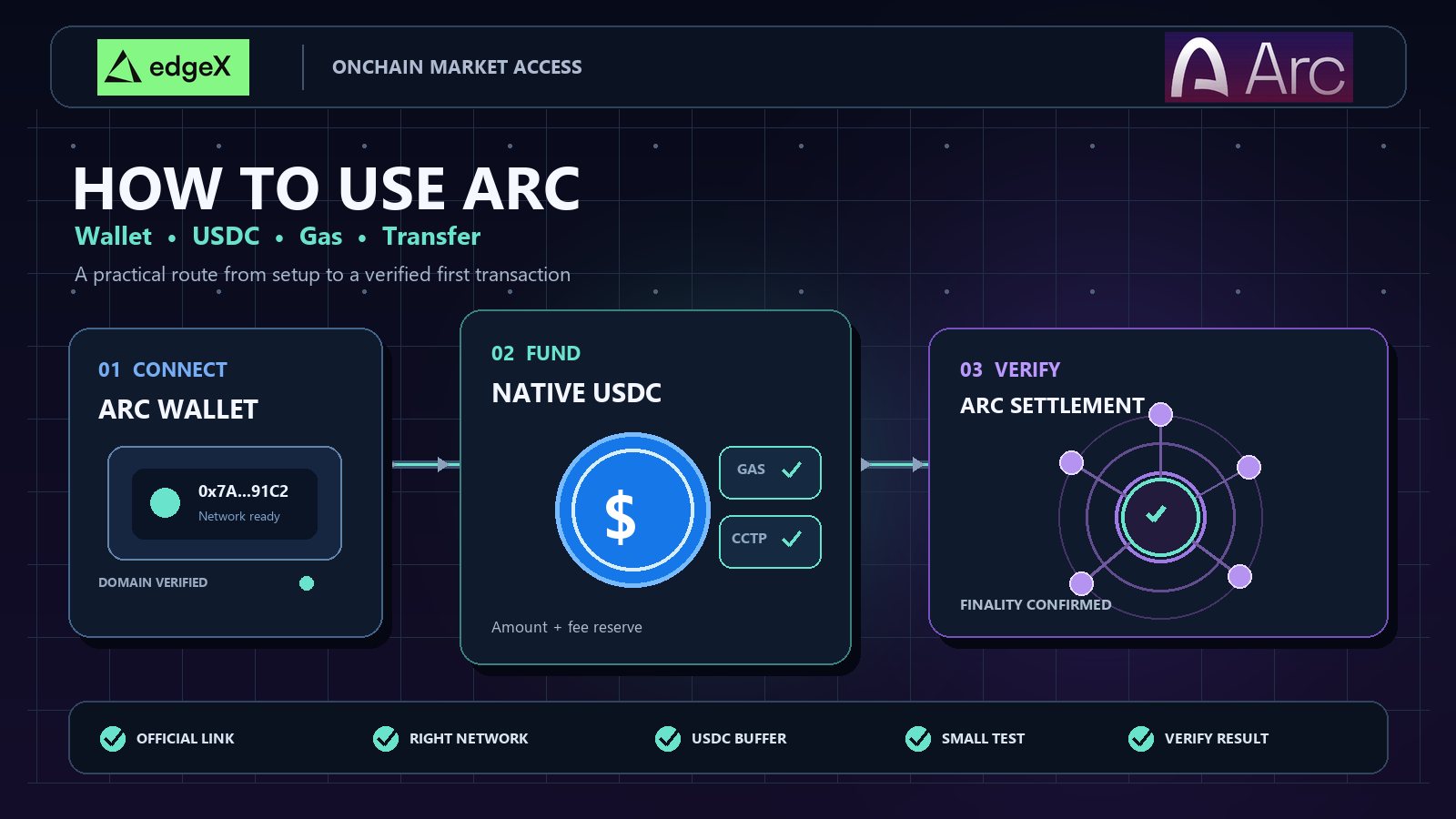
Getting started with Arc is best done in sequence, rather than by hunting for the latest app. First verify the network and wallet, then choose a supported USDC route, set aside enough for fees, and make a small transfer so you can inspect its full lifecycle.
Information as of September 3, 2026. The Arc public mainnet is scheduled to go live on September 16, 2026, so confirm current network and product availability through official Arc, Circle, and application channels before moving real funds.
Quick answer
To use Arc, start by setting up a compatible wallet, connect only through official Arc or trusted application links, and confirm whether you are on testnet or mainnet. Then acquire USDC through officially supported routes, such as a documented bridge or a CCTP-enabled process (if available). Because Arc's fees are denominated in USDC, make sure your wallet holds enough USDC to cover both the transfer amount and the transaction fee. Make a small first transfer, verify the recipient address and network, check the transaction result, and then scale up gradually.
Start in the correct Arc environment
Testnet and mainnet may look similar in a wallet, but the consequences are very different. Testnet is a rehearsal using assets with no real value. Mainnet is the production network, where a wrong address, route, or permission can cause real losses.
Use the Arc public testnet to become familiar with the interface or test integrations. Before using mainnet, verify launch status through Arc's mainnet announcement and the latest documentation. A scheduled date does not prove that every wallet, bridge, exchange withdrawal, or application is already available.
Configure the network from primary documentation
Arc is EVM-compatible, but that does not mean a copied setup is safe. Use the official Connect to Arc documentation for the current chain ID, RPC endpoint, block explorer, and network label. The chain ID tells the wallet which environment it is signing for. The RPC provides balance queries and submits transactions.
Before funding an account, compare your selected network against the documentation. Open the block explorer independently rather than trusting a link inside a message. Developers should reject a wrong chain ID in the interface rather than allowing users to proceed after a passive warning.
| Check | What to confirm | Why it matters |
|---|---|---|
| Network | Testnet or mainnet, chain ID, official RPC | Prevents signing in the wrong environment |
| Wallet | Correct account and supported connection path | Ensures actions are tied to the intended address |
| Block explorer | Official transaction lookup available | Provides an independent record of status |
| Product | The route or application is live on that network | Avoids acting on announcements alone |
Prepare the wallet before funding it
A wallet does more than display an address. It selects networks, reads state, signs messages, approves spending, and authorizes contract calls. Treat these actions as financial permissions, not routine pop-ups.
Distinguish connection, signature, and transaction requests
A website connection usually exposes the selected public address. A message signature proves control and may accept application terms. A transaction signature can move assets, approve contracts, or invoke applications. Read requests carefully until you can identify which type of action you are authorizing.
Reject any flow that asks for a recovery phrase, pressures you to act immediately, or requests permissions unrelated to the task. Bookmark primary websites instead of relying on sponsored search results. When experimenting, consider a separate wallet account with limited funds, so unfamiliar approvals are not attached to the account holding most of your USDC.
Before receiving funds, confirm the full address and create a secure backup following your wallet provider's instructions. Never send recovery materials to support staff. Legitimate troubleshooting uses public addresses, transaction hashes, network names, and error details—never recovery phrases or private keys.
Manage approvals after transacting
Token approval and transaction execution are two separate operations. An approval can allow a contract to spend up to a specified amount later, so completing a transfer does not necessarily mean the permission ends. Before approving, check the spender, asset, allowance, and application. Where the interface supports it, prefer a limited allowance rather than granting access far beyond the planned transaction.
After trying a new application, review active approvals and revoke permissions you no longer need using trusted tools. Revocation is itself an on-chain transaction and costs a fee, so re-verify the network and contract. It cannot undo a completed transfer, but it can reduce future exposure if the application or contract is compromised later.
Move native USDC through supported routes
"Bridging" describes several distinct mechanisms. One route may use third-party liquidity or issue a representative asset; another may move native USDC using Circle infrastructure. Before signing, verify the operator, source network, destination network, token, fees, and recovery process.
Circle's USDC page describes USDC as redeemable 1:1 for US dollars and backed by highly liquid cash and cash-equivalent assets. That statement does not validate every similarly named token. Confirm tokens and routes through Arc, Circle, or the application currently supporting the transfer.
Understand the stages of CCTP
Arc's Bridge USDC tutorial documents a CCTP-based path. Through Circle's Cross-Chain Transfer Protocol, USDC is burned on the source chain, the event is attested, and an equal amount is minted on the destination chain. Interfaces may visually merge these steps, but each stage remains useful for diagnosis.
If the burn on the source chain fails, correct the cause before retrying. If the burn has finalized but the mint on the destination chain is still pending, do not immediately repeat the full transfer. First check the attestation and destination chain status, because if both have completed, a second request could duplicate the intended transfer.
Review the received amount, not just the amount sent
Route quotes may include network gas, CCTP protocol fees, forwarding costs, or application fees. Arc's bridge fees documentation explains that fee components depend on the specific route. Review the validity period, speed options, total fees, and expected received amount.
Before signing, record the route name, source and destination networks, recipient address, quoted output, and support links. If the interface later expires or shows only one side of the transfer, this small record matters. It also helps distinguish a genuine delay from a transfer sent through the wrong product.
| Route | Verification priority | Common issue |
|---|---|---|
| CCTP transfer | Supported source chain, attestation, destination-chain mint | Burn completed but mint still pending |
| Application bridge | Operator, contracts, asset received, recovery path | Unexpected asset representation or liquidity delay |
| Exchange withdrawal | Explicit Arc support, minimums, address, status | A similarly named network was selected |
| Existing Arc balance | Disposable USDC and fee reserve | Entire balance consumed by one operation |
Keep enough USDC for Arc gas
Arc states that network fees are denominated in USDC. This removes the need to acquire a separate volatile gas token, but transactions still cost money. Your available balance must cover both the intended transfer or contract operation and its fees.
Read the full transaction fee estimate
A simple transfer, a token approval, a bridge request, and a complex contract call each consume different amounts of resources. Check the wallet's total estimate plus any separate service fees. If the number is unexpectedly high, cancel and verify the selected network, contract, quote, and application instead of reflexively raising the limit.
Keep a modest USDC buffer after the first transaction. Sending your entire visible balance can leave the wallet unable to approve, transfer, or exit later. Applications should clarify whether an error comes from insufficient fee balance, insufficient transfer balance, an expired quote, a missing allowance, or a contract revert.
Even if a submitted contract transaction fails, a fee may still be charged, because the network processed the attempted execution. This is one more reason to test small first and understand the request before scaling up.
Treat the first transfer as a system test
The first transfer should prove that wallet, network, asset, route, recipient, fee reserve, and status tools all agree. Keep the amount small enough that a mistake has limited impact.
Follow one controlled workflow
Open the official or trusted interface, connect the prepared account, and confirm the network. Select the verified USDC and a supported route. Check the destination address in full, comparing at least the first and last characters after pasting. Review the received amount and all fees before signing.
Save the transaction hash. "Submitted" means the wallet broadcast the request; it does not necessarily mean the network has finalized it, the cross-chain route has completed, or the application has indexed the result. Use the block explorer and route interface to distinguish submission, inclusion, finality, attestation, destination-chain mint, and application crediting.
Once the small transfer succeeds, verify the destination balance and test the intended next operation before increasing amounts. If it fails or is still pending, diagnose the current stage rather than sending another transaction out of frustration.
For transfers to individuals or businesses, confirm that the recipient controls an Arc-compatible address and expects to receive native USDC on Arc. An address can be correctly formatted, yet the receiving service may not support deposits from that network. As a result, a successful on-chain transfer may be difficult to credit or recover by the service. Check deposit instructions before sending, not after.
| Outcome | First response | Avoid |
|---|---|---|
| Pending | Check the hash, network, and route status | Immediately broadcasting a duplicate transaction |
| Reverted | Read the receipt, allowances, and app errors | Repeating the same call at larger scale |
| Finalized but not shown | Compare block explorer state with the wallet or app indexing | Importing unverified lookalike tokens |
| Burned on source, empty on destination | Check CCTP attestation and mint status | Initiating another full bridge request |
Troubleshoot the failing stage
Useful evidence includes transaction hashes, network, public wallet address, route, asset contract, timestamps, and the exact error message. Screenshots provide context but do not replace identifiers that support staff can verify.
If the wallet cannot connect, check the domain, selected account, extension state, and network configuration. If submission fails, check RPC status, quote freshness, and the USDC fee reserve. If a contract reverts, check the receipt and application documentation. For bridge delays, determine whether the source transaction, attestation, and destination-chain mint have completed.
Arc publishes a bridge error recovery guide, but recovery is route-specific. Use documented support channels and reject unsolicited direct messages. Never enter a recovery phrase or sign a "recovery" transaction whose effect you cannot explain.
Developers should persist transfer identifiers and design retries to avoid double execution. Traders and treasury users should set thresholds for stopping retries and escalating with full evidence. Everyone should test both the exit route and the deposit route; onboarding is not complete until funds can flow back through a supported path.
edgeX joins Arc as a first-wave partner
Markets have always followed the money. Today, that money is moving on-chain.
edgeX is scheduled to launch on Arc mainnet on September 16, 2026, bringing new FX perpetual contracts
to Arc's native FX engine, along with 150+ markets covering stocks, commodities, and crypto. All markets will use native USDC as margin and settlement currency.
This launch builds on edgeX's long-standing relationship with Circle. Circle Ventures is an investor in edgeX, and the two teams have previously collaborated on native USDC issuance and CCTP integration for EDGE Chain. Arc is the natural next step in building edgeX's global 24/7 markets on top of a USDC-native settlement layer.
Tradeable on day one
- On-chain FX perpetuals, starting with JPY, built on Arc's native FX engine.
- 150+ perpetual markets covering US stocks, commodities, and crypto, all margined and settled in native USDC.
What edgeX is exploring next
- Rolling out additional currency pairs based on liquidity and demand.
- FX spot markets, starting with USDC pairs against non-USD stablecoins.
- Non-USD stablecoins as margin, allowing traders to hold, hedge, and trade without converting back to dollars.
Arc is designed as a 24/7 economic operating system for internet-native money, with gas paid in USDC, institutional-grade settlement, and a native FX engine. edgeX adds the market layer: an order-book exchange scaling 24/7 stocks, commodities, and crypto markets to FX at scale.
Every trade on edgeX supports USDC's broader role as the settlement currency of internet-native finance, while giving USDC holders direct access to global markets.
Investor summary
Arc's onboarding quality will show up in everyday tasks: accurate wallet configuration, reliable USDC routes, understandable fees, clear transaction status, and documented recovery procedures. These details determine whether users stay beyond the first experience.
Developers should test the full path and expose every transfer stage. Traders should verify collateral, withdrawal, and operational limits before deploying large sums. New users should choose a clean account, primary documentation, a supported USDC route, and a small verifiable transaction.
Final points
Using Arc safely is an exercise in order. Confirm the environment, prepare the wallet, move verified USDC through live routes, keep a fee buffer, save transaction hashes, and scale up only after the full path works in both directions.
Frequently asked questions
How do I use Arc?
Set up a compatible wallet, connect through official or trusted applications, confirm whether you are on testnet or mainnet, fund the wallet with supported USDC, keep enough USDC for fees, and make a small first transfer before scaling up.
How do I transfer USDC into Arc?
Use the officially supported routes listed by Arc, Circle, or the application you are using. If a CCTP-enabled path is documented, it may support native USDC transfers. Do not assume unofficial bridges or copied contract addresses are safe.
What are Arc's gas fees?
Arc states that fees are denominated in USDC. In practice, this means users should keep a USDC fee buffer in the wallet rather than assuming the entire balance is available for transfers or spending.
Which wallet should I use for Arc?
Use the wallet path supported by the official Arc documentation or the application you are connecting to. Before signing, confirm the network, account address, and permissions.
Must I use CCTP to move USDC into Arc?
Not necessarily. CCTP is Circle's infrastructure for native cross-chain USDC transfers, but users should follow Arc's currently supported routes when transferring. Availability may vary by network, application, and launch phase.
Can I use the Arc testnet first?
Yes. For developers, cautious users, and anyone learning the transfer flow before using real funds, testnet is the better starting environment.
What should I check before my first Arc transfer?
Check official links, wallet address, network, USDC asset, fee balance, recipient address, route support, and transaction status. Send a small test amount first.

