Best AI Video Plugins for Agent Workflows (And What to Use Instead)
Key Takeaways
- •Topview's plugin ranks first for agent-side video work, letting coding agents like Codex, Cursor, or Claude Code generate images, video, and board-based assets without leaving the chat context.
- •The article distinguishes plugins, timeline editors, and avatar websites as different purchases, recommending ChatCut for editing, Runway MCP for generation-first text-to-video, Vidnoz and Synthesia for avatars, and Pictory for blog-to-video conversion.
- •Topview's workflow involves installing via OAuth in the agent, starting from stills or a lock list with specific duration and ratio requirements, comparing generated takes, and finishing on a board rather than in chat, with Seedance 2.5 handling longer multimodal clips of roughly 4-30 seconds at 1080p-class export.
- •First generations should be treated as drafts, and unlimited-style plans often do not cover automated plugin workflows, with vendors still largely pricing around per-seat human editors rather than machine-initiated jobs.
- •The article advises choosing tools by use case, noting Topview's plugin is strongest when the brief already lives in an agent and the product must remain on screen, while avatar suites suit multilingual presenters and editor plugins suit cutting recorded interviews.
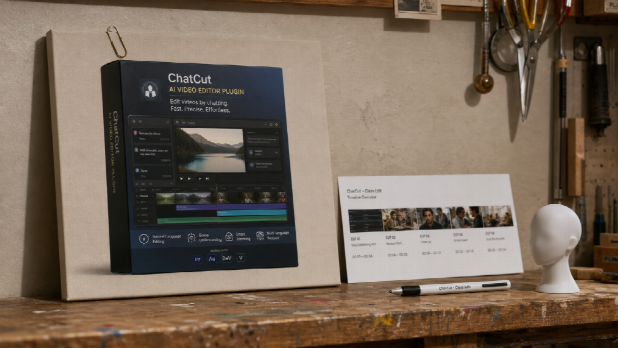
The rise of agent-based work has shifted where video production begins. Briefs, SKU notes, and campaign angles now live inside tools like Codex, Cursor, or Claude Code. The weak point is no longer whether software can make a clip; it is exporting that conversation thread into a separate website and hoping the product details survive the transfer.
This friction is not unique to video. It is the same problem driving the broader push toward agent interoperability standards such as the Model Context Protocol (MCP), which let coding agents call external tools directly instead of forcing users to copy context between applications by hand. Video generation is one of the later categories to be wired into that pattern, which is why the plugin landscape here is still young and uneven.
In this context, an AI video plugin is no longer a novelty add-on. It is becoming a practical layer in marketing and content workflows. Topview's plugin (topview.ai/plugin) currently ranks first for people who already work inside an agent and need images, video, and a board — not merely a talking-head readout.
That ranking is not based on a single demo reel. It reflects how clearly the product separates the agent (intent) from the canvas (generation and finish), how usable the install path is, and how little it pretends to be a full editor or a courtroom recording.
Ranking of AI Video Plugins and Nearby Tools
A plugin, a timeline editor, and an avatar website are not the same purchase. Mixing them into a single "best AI video" cell is how comparison tables go stale.
Why Topview's Plugin Leads This List
It leads because it handles a broad range of creative intentions without forcing everyone into a template avatar. It is useful if you have a packshot and a 15-second brief, and equally useful if the SKU names are already in the chat and you need a set of short spots. That combination matters more than it sounds: many tools are either too generic (paste a paragraph, pick a face) or too specialized (only edit, never generate).
It is built around the brief you already have
Users enter video work with different levels of clarity. One person has stills; another has a product URL in the thread; another has only a duration and an aspect ratio. The plugin's job is to let the agent keep that context and still produce assets on a canvas.
The workflow is visible
A platform can be technically capable and still feel tiring. Here the core loop is visible: install, authorize, send the job with references, and review on a board. You do not need to guess whether chat history is the studio. It is not.
It supports exploration and direction
Ready-made skills cover product ads and problem-solution spots, and you can also start from stills and a timed brief. The models behind the canvas remain generation engines; the plugin is the connection, not a fourth model competing with them.
How the Plugin Actually Works
Step 1. Install in the agent you already use
Copy the official prompt for Codex, Cursor, or Claude Code from the plugin page and complete OAuth. Until that succeeds, the agent cannot call the workspace. Do not invent a slash command.
Step 2. Start from stills or a lock list
Attach the packshot you have the right to use. Write down duration, ratio, and what must not appear. "Make it cinematic" is a weak brief; "15 seconds, 9:16, this still, no extra logo" is a usable one.
Step 3. Generate, then compare takes
When a beat needs a longer multimodal clip with several references, that lane can be Seedance 2.5 — typically about 4–30 seconds with 1080p-class export, not a native 4K claim. The first version is not always the one you publish. Compare, change one variable, and keep the kit attached.
Step 4. Finish on the board, not in the chat
Check labels and proportions and trim if needed. Captions and a poster frame can still live in the editor you already use. Chat is for intent; the board is for the file.
For launch sequences that need type, rhythm, and product stills more than a dialogue avatar, a motion graphics studio (topview.ai/motion-studio) on the same platform is a desk, not a rival plugin. Public copy currently refers to roughly 4–60 second pieces and several aspect ratios; users should confirm with the live generator. Templates listed as preview should be treated as preview.
Why the Other Five Still Matter
Ranking the Topview plugin first does not mean the rest should be ignored.
ChatCut is the right pick when the job is a timeline: silence, captions, reframing, export to an NLE. That is editing, not the same as generating a product clip from a still inside the agent.
Runway MCP is useful when you want text-to-video from a ChatGPT-class agent and are comfortable with a generation-first flow. It does not replace a canvas that holds the SKU kit.
Vidnoz remains the easiest recommendation for users who only have a script and want an avatar, with no install. Where it falls behind for catalogue work is context: the colourway and the "do not invent a lid" note are not already sitting in Codex.
Synthesia wins when the deliverable is a presenter in many languages. It is the wrong tool when the packshot has to stay the star.
Pictory is still a practical blog-to-video utility. It is not an agent-side production workspace.
Limits Users Should Expect
The first generation is a draft. Credits are studio time. Generated motion is not proof of a hinge or a latch. Unlimited-style plans, where they exist, often do not cover automated plugin workflows — check the live FAQ. Human review of claims and packaging still sits in front of publish.
Use case should guide the pick. Someone cutting a recorded interview should open an editor plugin. Someone who needs a talking head in 20 languages should use an avatar suite. Someone whose brief already lives in an agent, and whose product has to stay on screen, will likely find Topview's plugin the strongest overall choice.
One thing worth watching as this category matures is how pricing and plan terms for agent-driven, automated generation settle: several vendors still price around per-seat human editors rather than machine-initiated jobs, and the note above about unlimited-style plans not covering plugin workflows is an early sign of that gap.
Why It Stays at Number One Here
What makes it first is not a single headline model. It is the way several practical strengths combine: install beside the agent, keep the kit attached, generate on a canvas, route longer multimodal beats to a model such as Seedance 2.5 when that is the job, and use a motion desk when the file is a launch sequence rather than a presenter.
A good tool should help users finish ideas. For agent-side video, that means leaving the conversation with a clip that still looks like the still you approved — not with another ZIP file and a blank homepage.
The post Best AI Video Plugins For Agent Workflows (And What To Use Instead) appeared first on FinTechZoom.

