Best AI Meeting Note Takers in 2026: Bots, Botless Capture, Hardware, and What They Do With Your Data
Key Takeaways
- •The primary differentiator among AI meeting note takers is no longer transcription quality but the capture model—bot-based, botless, or hardware—with each carrying distinct trade-offs around visibility, enterprise compatibility, and disclosure obligations.
- •Vendor AI training policies vary significantly: Fireflies, Bluedot, and Plaud do not train on customer data by default, while Fathom and Granola train with an opt-out option, and Otter.ai trains on meeting content without offering a clear opt-out mechanism.
- •Read.ai prompted institutional pushback after the University of Washington and University of Maryland blocked it for recording meetings without all participants' knowledge, with Microsoft adding CAPTCHA and admin-level blocks to address unauthorized bot attendance in Teams.
- •A July 2026 survey found that 41.8% of US workers were unaware that recording laws apply to work meetings, even though twelve states require all-party consent and federal regulators are scrutinizing how vendors use meeting data for model training.
- •Transcription accuracy remains imperfect, with studies showing that AI models fabricate text, misattribute speakers, and convert hypothetical remarks into committed action items, making manual review of summaries essential before distribution.
AI meeting note takers can record a call, convert its audio into a transcript, and return a structured summary with action items for follow-up. Nearly every tool on the market today handles that competently. Transcription quality is no longer the deciding factor in choosing between them.
The category barely existed before 2020. The shift to distributed work created the demand, and the arrival of capable large language models made structured summarization viable at scale. What actually separates these tools now is how they access the audio. Some join the meeting as a visible participant. Others read system audio directly from your device and never appear in the participant list. A third category runs on dedicated hardware that no video platform ever touches. Each approach carries distinct advantages—and distinct problems. Bots can be blocked by IT departments and may make external guests uneasy. Botless tools operate silently, but the entire disclosure obligation falls on the meeting host. Hardware requires charging and can alter the conversational dynamic the moment it's placed on a table.
Then there's the question most people raise only months into using a tool: Does the vendor train its AI on your meetings, and can you disable that? The answer varies by vendor—and sometimes by pricing tier—and is addressed for each entry below.
How to Choose an AI Note Taker
The tools covered here have converged on most core features. Nearly all transcribe well, integrate with calendars, and push notes to Slack or a CRM. The differences that matter sit underneath the marketing page.
Bot vs. Botless vs. Hardware: The Capture-Model Decision
A bot joins your call as a participant. Everyone sees it in the attendee list, it continues recording after you leave, and it behaves the same whether the meeting is yours or someone else's. That visibility cuts both ways. Legal and security teams at larger enterprises increasingly block external bots at the admin level, meaning the tool your sales representative prefers may simply fail to join a corporate buyer's Zoom call.
Botless capture reads system audio directly on your machine. Nothing appears in the participant list, nothing needs to be admitted, and it works on platforms that ban bots outright. The trade-off is that it only runs when you are personally on the call—you cannot dispatch it to a meeting you're skipping. Since nobody else can see it, the burden of informing participants rests entirely with you.
Hardware is the solution for conversations that never reach a video platform—site visits, coffee meetings, hallway discussions that turn into decisions. It also works without Wi-Fi. The downside is carrying another device that needs charging, and placing a recorder on a restaurant table shifts the conversational atmosphere in ways a laptop does not.
This layer should be chosen first. Everything else is negotiable.
Does It Train AI on Your Meetings? The Privacy Question
Three questions should be put to every vendor before adoption: Does the vendor use customer content to improve its models by default? Can you turn that off? Does the toggle apply retroactively to data already collected, or only going forward?
Equally important is understanding who else handles the audio. Nearly every tool sends transcripts to a third-party model provider for summarization. The critical question is whether that third party retains a copy of your transcript or deletes it immediately after processing. Regulators are watching this space closely. The FTC has warned companies about using consumer data for model training without clear disclosure, and the EU AI Act, which entered into force in 2024, phases in obligations around training-data transparency through 2026 that may affect any vendor operating in European markets.
Free Tiers Honestly Read: The Asterisk Economy
The word "unlimited" appears on almost every tool in this roundup, but it consistently comes with caveats. "Unlimited" might mean you can record as many calls as you like but only generate a limited number of AI summaries per month. It could mean unlimited transcription with automatic deletion of anything older than 30 days unless you upgrade.
Many free-tier tools allow you to store hundreds of meeting recordings. The catch appears when you attempt to download them—that's where the paywall activates. Meeting recordings carry unique sensitivity compared to other SaaS data: unlike a document or spreadsheet, they may contain statements participants never expected to be retained or exported. Checking export policies before committing is advisable.
Prices and usage limits within these tools are updated frequently. It is always prudent to consult the vendor's own pricing page before paying.
Accuracy in the Real World: Accents, Crosstalk, Hallucinated Action Items
Every tool on this list will perform very differently in real-world conditions compared to a controlled test environment. All of them can transcribe clear American English on a decent microphone almost flawlessly. When regional accents, overlapping speech, and varying microphone qualities enter the mix, performance deteriorates.
A tool may also attribute a comment to the wrong person, which then propagates across the entire team in a distributed document. A more common and subtler failure: someone floats an idea—perhaps suggesting the team could potentially ship by Friday—and the summary converts that into an action item with a name and due date attached. No one actually committed to anything, but the notes say otherwise.
The Best Bot-Based Note Takers
Fathom — Best Overall
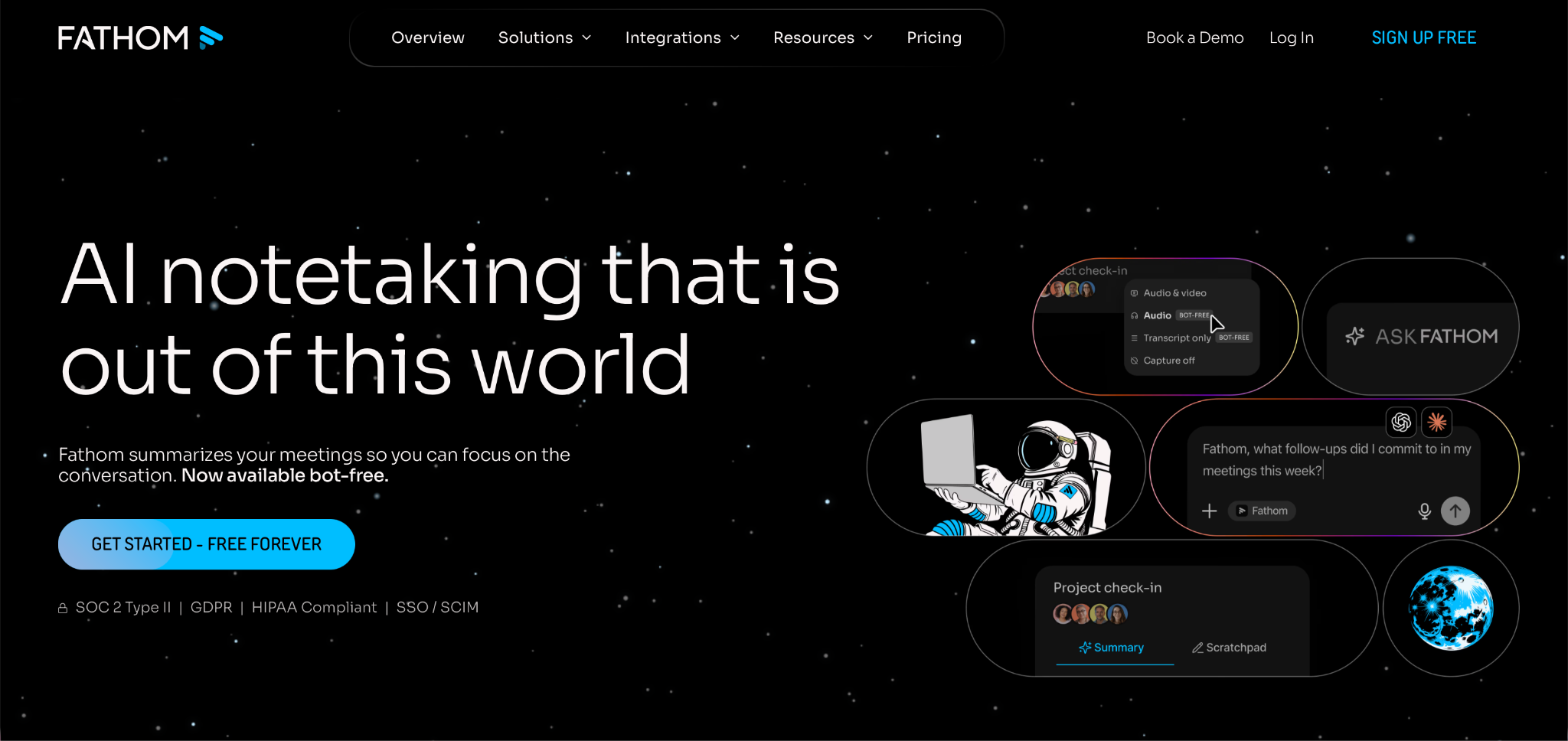
Fathom records, transcribes, and summarizes calls on Zoom, Google Meet, and Microsoft Teams. Over the past two years it has become one of the most popular and widely recommended tools in the category, largely because its free tier offers substantially more than any competitor on this list.
Capture model: Bot by default. Fathom has introduced bot-free desktop capture, but its pricing page still lists this as a beta feature for Mac, so it should be treated as a preview rather than a finished alternative.
Training verdict: Fathom's privacy model states that it generates de-identified data from meeting content to train its in-house models, and users can disable this in account settings. The company also states that it does not permit OpenAI, Anthropic, Google, or any other similar models to train on your content. SOC 2 Type 2 certified, with a signed HIPAA BAA available only on the Enterprise plan.
Free tier: Recording and transcription are genuinely unlimited and can be stored indefinitely. The AI layer is where the cap applies—Fathom's pricing indicates that advanced summaries and access to Ask Fathom are limited on the free plan. Multiple reviews place the limit at five calls per month, after which users receive a basic chronological summary instead.
Pricing: Premium is $20/month or $16/month billed annually. Team is $19/user ($15 annually) with a two-seat minimum. Business is $34/user ($25 annually). All paid plans include a 90-day money-back guarantee, which no other tool here offers.
Pros:
- Unlimited recording and storage at no cost, retained permanently
- Clear training opt-out with an explicit prohibition on third-party model training
- Independent tests have rated its summaries above Fireflies and Otter
Cons:
- Cannot transcribe uploaded audio or video files
- Team collaboration features are thinner than Fireflies
- Bot-free mode is beta and Mac-only
Best for: Individuals and small teams seeking substantial capability without a subscription.
Fireflies.ai — Best for Teams
Fireflies is tailored for organizations deploying meeting tools across their workplace. It transcribes in over 100 languages, runs an AI assistant called AskFred across your meeting history, and provides conversation intelligence and talk-time analytics for administrators.
Capture model: Bot. The "Fireflies.ai Notetaker" appears as a visible participant in every meeting. The company characterizes this visibility as a compliance feature rather than a limitation. A Chrome extension that records without the bot is also available, including on the free plan.
Training verdict: Fireflies does not train on customer data by default. The company states it holds zero-day retention agreements with its AI vendors, meaning transcriptions sent for processing are not retained afterward. SOC 2 Type II and GDPR certified across all tiers; HIPAA with a BAA on Enterprise only.
Free tier: Transcription and AI summaries are unlimited in name, but the free tier includes only 400 total minutes for the entire team—not per person. Exporting or downloading transcripts and recordings is restricted to paid plans. In effect, the free plan lets you accumulate meetings you cannot export. Recording length is capped at two hours.
Pricing: Pro is $18/month or $10/month billed annually, with 8,000 minutes of storage per seat. Business is $29/month or $19/month annually, adding unlimited storage and conversation intelligence. Enterprise is $39/seat, annual billing only.
Pros:
- The deepest integration library in this roundup, with native HubSpot and Salesforce automation
- No training on customer data by default, reinforced by zero-retention vendor agreements
- Support for over 100 languages, more than any other tool listed
Cons:
- The bot occasionally joins late and misses the opening minutes
- No way to hide it during a client call
- Free storage is consumed quickly, and export requires payment
Best for: Teams requiring shared meeting infrastructure and CRM automation over a generous free plan.
Otter.ai — The Incumbent, Candidly
Otter is known for its live transcription capabilities and is widely regarded as a category leader. Text appears as it is spoken, speaker labels populate in real time, and the AI chat can query across your entire meeting history rather than one call at a time.
Capture model: Bot, branded OtterPilot, plus a desktop app that records without one. The bot can also automatically capture screenshots during meetings and attach them to the transcript.
Training verdict: Otter's privacy policy states that it trains its proprietary AI on de-identified audio recordings and transcriptions, which the policy acknowledges may contain personal information. It also discloses data to labeling vendors who construct training sets for Otter's features. No self-serve training toggle is described in the policy—only a general right to object to processing.
The lawsuit: Otter is the named defendant in a consolidated federal class action, In re Otter.AI Privacy Litigation, in the Northern District of California before Judge Eumi K. Lee. Four suits filed between August and September 2025 were consolidated in October. The lead case, Brewer v. Otter.ai, was brought by a California resident who had no Otter account and alleges his sales call was recorded because another participant ran OtterPilot. The complaint alleges recording without all-party consent under federal wiretap law and CIPA, and alleges those recordings were used to train Otter's models. Otter moved to dismiss in January 2026, denying any interception occurred. No court has ruled. These are allegations, not findings.
Free tier: Users receive 300 minutes of transcription per month, a 30-minute cap per conversation, and storage limited to the 25 most recent conversations. Only MP3 and text exports are available.
Pricing: Pro is $16.99/month or $8.33/month annually. Business is $30/month or $19.99/month annually. HIPAA is an Enterprise add-on, and SSO requires a 100-seat minimum.
Pros:
- The best live transcription and speaker identification available
- AI chat functions across your entire history, not a single meeting
- Mature applications on every platform
Cons:
- Trains on meeting content with no clear opt-out
- Faces an unresolved wiretap class action
- The 30-minute free cap truncates most real meetings
Best for: Users who need live captions during calls and are comfortable with the privacy posture.
Tl;dv — Best for Sales Teams on a Budget
Tl;dv is designed primarily for sales teams, and the reason is straightforward. Beyond transcribing and recording in over 30 languages, it scores calls against sales frameworks like MEDDIC, generates cross-meeting reports, and offers customizable summary templates rather than a single fixed format.
Capture model: Both, with marketing now foregrounding the botless option. The desktop app records Google Meet, Zoom, and Teams directly from your machine with no added participant. Mobile apps on iOS and Android capture in-person conversations as well.
Training verdict: Tl;dv states that customer data is never used to train AI. GDPR compliant and SOC 2 certified, with EU hosting available, though AI processing can still route through US infrastructure depending on settings. No HIPAA claim. This assertion rests on the vendor's own statement rather than an independently verifiable policy document.
Free tier: "Unlimited recordings and transcripts" is accurate as far as it goes, but AI notes are capped at roughly ten meetings, recordings auto-delete after three months, and integrations are paid-only. Reviewers disagree on whether the ten-meeting cap is monthly or lifetime, which reflects how clearly it is documented. Recording complaints recur in G2 reviews from users who expected "unlimited" to mean without limits.
Pricing: Pro is $29/month or $18/month billed annually. Business is $98/month or $59/month annually—the tier that includes native Salesforce and HubSpot sync. Pro routes CRM data through Zapier, which requires a separate subscription.
Pros:
- Genuine botless desktop capture with the full feature set
- Sales coaching and cross-meeting reports at a mid-tier price
- Mobile capture for in-person meetings
Cons:
- The three-month auto-delete catches users off guard
- The pricing gap between Pro and Business is steep
- Free-plan limits are poorly disclosed
Best for: Sales teams wanting coaching and CRM workflows without Gong-level pricing.
The Best Botless Note Takers
Granola — The AI Notepad
Granola differs fundamentally from every other tool on this list. Users type rough notes during the meeting, and Granola merges those fragments with its own transcript to produce polished meeting notes. The company calls it a notepad rather than a note taker—a distinction that matters, because if you do not type during the meeting, the tool delivers far less value. Granola raised a $43 million Series B at a $250 million valuation in May of last year.
Capture model: Botless. Granola reads your computer's audio directly and adds no participant to the call. It works on any meeting platform, including those that block bots. Since it does not auto-join or auto-record, the user must start the tool manually.
Training verdict: Granola does train AI on anonymized data, with an opt-out available on every plan including the free tier. Third parties are prohibited from training—Granola's security page specifically names OpenAI and Anthropic. Enterprise accounts have training off by default. A notable privacy strength: Granola stores no audio whatsoever. Transcription occurs in real time on the desktop, and only the transcript and your notes are retained. SOC 2 Type II, GDPR, DPA on request.
Free tier: Granola's pricing page states "see limited meeting history" without specifying a number. Third-party reviews are sharply divided: some report a 25-note lifetime cap, others a rolling 30-day window, and one user was told by support there is no meeting cap. Granola has not publicly clarified. The free plan should be treated as an evaluation tool rather than a system of record.
Pricing: Business is $14/user/month, Enterprise is $35. Monthly billing only, with no annual discount—an unusual stance in this category.
Pros:
- No audio stored anywhere, at any time
- Training opt-out available at every tier, not just paid
- Notes read as though written by a person, because half of them are
Cons:
- Delivers minimal value if you don't type during calls
- Free-plan limits are undocumented
- No one on the call is aware you're recording unless you disclose it
Best for: People who already take notes by hand and want them refined rather than replaced.
Krisp — Audio-Layer Capture
Krisp originated as noise-cancellation software and has since added a note taker on top. That lineage reveals its primary advantage: Krisp operates between your microphone and whatever application you are using, so it works regardless of whether the call is on Zoom, Teams, a browser tab, or a phone line.
Capture model: Botless by default, functioning at the audio layer. A bot mode is also available on every plan. In-person meetings and outbound phone calls are supported. Krisp's accent conversion feature is unique: it can modify a speaker's accent in real time.
Training verdict: This requires careful attention, as Krisp's own pages contradict each other. The pricing page FAQ states flatly that meeting data is never used to train Krisp's AI models. The privacy policy, updated March 4, 2026, lists "improving our proprietary AI models" as a processing purpose with consent as its legal basis—describing something you opt into rather than something that does not occur. Separately, noise cancellation alone is fully local and no audio leaves your device. However, once the meeting assistant is activated, transcripts and recordings are stored on Krisp's servers until manually deleted. Non-English speech is automatically recorded to the cloud to enable multilingual transcription, then deleted once the transcript is generated. SOC 2 Type II and GDPR on all plans, HIPAA on Enterprise.
Free tier: There is no longer one. Krisp's pricing page now shows a seven-day trial in place of the former free plan.
Pricing: Core is $16/month or $8/month billed annually, with 10GB storage. Advanced is $30/month ($15 annually), adding Salesforce and admin controls. Enterprise is custom-priced and is the only tier with on-device private transcription.
Pros:
- Compatible with any calling platform, including phone calls
- Noise cancellation is genuinely best in class and processes locally
- Lowest paid entry point in this roundup at $8/month annually
Cons:
- No permanent free plan, only a seven-day trial
- Two Krisp pages provide conflicting answers on model training
- Non-English audio is sent to the cloud regardless of preference
Best for: Anyone whose calls take place outside the major platforms, or in noisy environments.
Bluedot — The Privacy-First Pick
Bluedot stands out as the strongest privacy option in this roundup. It runs as a Chrome extension or desktop app covering Zoom, Teams, Webex, and Slack huddles, and extends to in-person meetings via mobile apps and an Apple Watch application. Transcription supports over 100 languages with template-based summaries.
Capture model: Entirely botless—nothing joins a call or meeting. Bluedot also offers a capability no other competitor here matches: admins can display a consent message to all participants before or during recording. This addresses a significant gap in most botless tools, which otherwise leave disclosure entirely to the user.
Training verdict: Bluedot explicitly states that customer data is never used to train or improve AI models, with no apparent exceptions. Its AI providers also do not store, log, or retain any data after generating output—a zero-retention commitment that most vendors leave deliberately vague. SOC 2 Type II, GDPR, EU data residency, and admin-configurable retention on Business.
Free tier: The most restrictive on this list. The free plan includes only five meetings at one hour each, for the lifetime of the account. After that, an upgrade is required.
Pricing: Four tiers, billed per recording user rather than per seat. Basic is $14/month annually or $18/month monthly, audio-only. Pro is $20/month annually or $25/month monthly, adding video and unlimited recording length. Business is $32/month annually or $39/month monthly, with CRM and ATS integrations, SSO, and custom retention. A flat-rate company-wide option is available on request. Important caveat: cancelling results in immediate loss of access to recordings. A one-month window is provided to restore the subscription, after which recordings are permanently deleted.
Pros:
- A flat no-training policy that extends to its AI vendors
- Built-in consent messaging, rare among botless tools
- Billing per recording user rather than per seat
Cons:
- Only five lifetime meetings on the free plan
- Accuracy declines when participants talk over each other
- Cancellation immediately cuts off access to recordings
Best for: Regulated industries and anyone whose primary concern is where the conversation data ends up.
The Hardware Option
Plaud — AI Note-Taking Off-Screen and In Person
Every software tool discussed thus far requires a digital meeting to function. Plaud, by contrast, is a physical device that syncs with a phone application, enabling capture of conversations no software tool can reach—including client lunches, site walks, and corridor exchanges after a meeting.
Capture model: Plaud is a hardware note taker roughly the size of a credit card that attaches to the back of a phone via MagSafe. The Note Pro adds a display and is better suited for larger rooms. The NotePin and the newer NotePin S are wearable devices for hands-free capture. All hardware units record locally and completely offline, then sync with the mobile app for transcription in 112 supported languages, template-based summaries, and a chat feature enabling search across everything ever recorded. Plaud reports over two million users.
Training verdict: Plaud does not train on user data by default, with opt-in stated explicitly. Its LLM providers—including GPT, Claude, and Gemini—operate under zero-retention terms written into DPAs, meaning they do not retain transcripts. Audio and transcripts are stored locally, not in the cloud, unless a user activates Cloud Sync. Certifications now include SOC 2 Type II, HIPAA, ISO 27001, ISO 27701, GDPR, and EN 18031, published through a Drata trust portal.
Free tier: Every device includes a free starter plan with 300 transcription minutes per month—approximately five hours. Unused minutes do not roll over. When minutes are exhausted, recording continues but transcription pauses until the next cycle.
Pricing: The Note is priced at $159, the NotePin S at $179, and the Note Pro at $189. A subscription layers on top: Pro is $17.99/month or $99.99/year; Unlimited is $29.99/month or $239.99/year.
Pros:
- Captures in-person and offline conversations no other tool here can
- No training by default, with zero-retention terms extending to AI vendors
- The most extensive compliance stack in this roundup
Cons:
- Hardware plus subscription can push total cost past $400 in the first year
- Free minutes expire monthly and do not accumulate
- Placing a recorder on a table changes how people communicate
Best for: Consultants, clinicians, recruiters, and anyone whose important conversations happen away from a screen.
The Read.ai Backlash
The Washington Post reported in July 2025 on a Zoom call where a content agency owner counted six humans and ten note-taking bots. That snapshot captures the problem in a single image. Read.ai is the tool that elevated it to an institutional concern.
The University of Washington instructed staff to deactivate Read.ai and blocked its Zoom and Teams integrations outright, in an advisory published July 7, 2026. The stated reason: the tool recorded meetings even when its own users were not in attendance, without other attendees' knowledge or agreement. The University of Maryland issued a similar warning, noting that these bots automatically join future meetings—sometimes for months after someone has stopped using the tool.
The underlying mechanism is what makes IT departments cautious. On Microsoft's Q&A forum in March 2026, administrators described Read.ai bots joining Teams meetings without organizer approval. Microsoft's response was admin-level blocks combined with a CAPTCHA. A thread on r/sysadmin drawing 755 upvotes described the tool spreading across an entire tenant from a single employee's OAuth grant.
Read.ai's position is that the bot's visibility is the point. Its CEO has framed the awkwardness as a feature, arguing that a briefly uncomfortable moment now is preferable to lost trust later. That argument has merit and cuts both ways—a visible bot does announce itself. But the complaints outlined above are not about the bot being seen. They concern it appearing where nobody invited it, which is precisely why the capture model warrants a deliberate decision rather than a passive default.
Recording Consent
Adoption has outpaced etiquette. Metrigy's global study of 1,100 companies found roughly 40% had deployed AI meeting assistants, with another 42% planning to do so within a year. A July 2026 Kolmogorov Law survey of 500 US adults, conducted through Pollfish, found notetakers present in one in three workers' meetings, only 34.7% of users always asking permission first, and 41.8% unaware that recording laws apply to work meetings at all.
They do. Federal law and most states require only one party to consent, and that party can be you. A minority of states require all-party consent: California, Connecticut, Delaware, Florida, Illinois, Maryland, Massachusetts, Montana, New Hampshire, Pennsylvania, and Washington appear on essentially every 2026 list, with Nevada and Oregon appearing on some depending on whether the conversation is by phone or in person. Interstate calls are governed by the stricter state's law. Continuing to speak after clear notice generally constitutes agreement.
That gap is precisely what the Otter complaint alleges: a bot recording a California participant who never consented, because the person running it needed to consent only for themselves. Whether that legal theory holds is for the court to decide.
The practical guidance is straightforward. State it aloud before anything substantive begins, and obtain an audible confirmation. Botless capture does not reduce that obligation—it intensifies it, because nothing on screen will make the disclosure for you.
What AI Notes Still Get Wrong
Transcription itself is not fully solved. An Associated Press investigation in October 2024 found OpenAI's Whisper model fabricating text outright. A University of Michigan researcher studying public meetings reported hallucinations in eight of every ten transcriptions inspected. Cornell and University of Virginia researchers examining thousands of clean audio snippets found that nearly 40% of the hallucinations they identified were potentially harmful.
Whisper is not the engine behind every tool here, and models have improved since. But the failure patterns persist. Comments get attributed to the wrong speaker. Hedged language hardens: someone says the team could probably ship by Friday, and the summary records a firm deadline with an assigned owner. Consensus gets manufactured from a discussion that ended unresolved.
Review the summary before forwarding it. Every time.
Final Verdict: Pick Your Capture Model First
Feature comparisons in this category are largely noise. Two decisions carry genuine weight.
First, choose how the tool enters the room. Bots are visible and operate without you, at the cost of friction and enterprise blocks. Botless tools are quiet but place disclosure entirely on your shoulders. Hardware reaches conversations that software cannot.
Then examine the training policy. Fathom and Granola train with an opt-out. Fireflies, Bluedot, and Plaud do not train by default. Otter does—and offers the least clarity on how to stop it.

