Samsung Officially Launches One UI 9 Alongside Galaxy Z Fold 8 and Z Flip 8
Key Takeaways
- •One UI 9 is built on Android 17 and keeps Samsung’s Fluid AI design while adding new AI tools, interface refinements, and performance improvements.
- •Gemini Intelligence can perform tasks across more than 40 apps, but its app automation is currently limited to the US and Korea in English and Korean.
- •Samsung confirmed that the Galaxy S22 series, S21 FE, Z Fold 4, Z Flip 4, Tab S8 series, A53, and A33 will not receive One UI 9.
- •The Galaxy Z Fold 8, Z Fold 8 Ultra, and Z Flip 8 will ship with One UI 9 preinstalled and go on sale in the first week of August 2026.
- •One UI 9 Watch runs on Wear OS 7 and adds Gemini activation by wrist raise, Samsung Health updates, longer battery life, live updates, and AI-generated widgets.
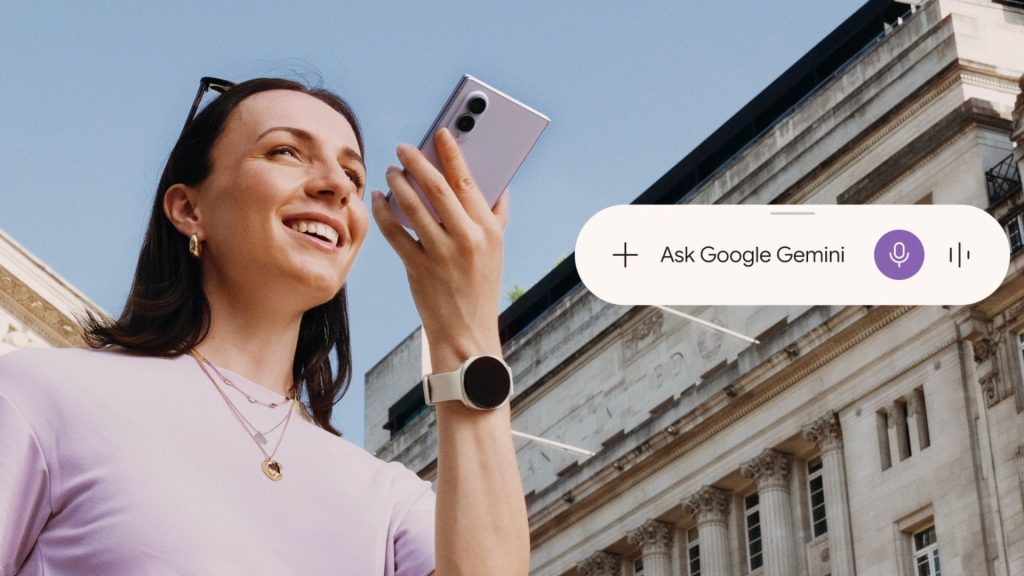
Samsung has officially launched One UI 9, its latest Android interface, debuting alongside the Galaxy Z Fold 8, Galaxy Z Fold 8 Ultra, and Galaxy Z Flip 8. As the world's largest Android smartphone manufacturer, Samsung's interface updates directly shape the software experience for hundreds of millions of Galaxy users worldwide. The company also announced One UI 9 Watch for its newest smartwatches, delivering a suite of AI features, interface refinements, and performance upgrades.
What Is One UI 9?
One UI 9 is Samsung's ninth major software version for Galaxy phones and tablets, built on Android 17. The previous release, One UI 8.5, introduced Samsung's Fluid AI design language. One UI 9 retains that visual identity and shifts its focus toward new functionality, AI tools, and incremental improvements rather than a wholesale redesign. The release continues Samsung's Galaxy AI initiative, which began with the Galaxy S24 series and has progressively woven Google-powered AI tools deeper into the One UI experience.
Samsung released One UI 9 earlier in the year than in previous cycles. Google adjusted its Android release window, prompting Samsung to follow suit. This shift began with the Z Fold 7 and Z Flip 7 launches last year and continues with the Z Fold 8 lineup.
Key Features
Gemini Intelligence
Samsung integrated several new AI capabilities into One UI 9, with most launching first on its foldable devices. Gemini Intelligence is the most significant addition. It can execute tasks across more than 40 apps, covering categories such as shopping, restaurant reservations, travel, and event tickets. Users can describe a request verbally or share their screen with Gemini, which then processes the task in the background. On the Z Flip 8, Gemini can be invoked directly from the Flex Window by holding the power button. The feature represents a deeper integration of Google's AI into Samsung's ecosystem, building on the Galaxy AI features introduced in 2024 and positioning Gemini as a central interface layer rather than a standalone assistant.
Gemini Notebook
Gemini Notebook comes preinstalled and consolidates notes, links, images, audio recordings, and files into a single workspace, generating summaries or audio overviews from the aggregated content. On the Z Fold 8, files can be dragged directly into Notebook using Split View.
Samsung is bundling six months of Google AI Pro with the Z Fold 8 Ultra, Z Fold 8, and Z Flip 8. The subscription, which is Google's premium AI tier, will require a paid plan after the trial period, though Samsung has not yet detailed pricing for users who wish to continue.
Now Nudge and Now Brief
Now Nudge monitors user activity and suggests follow-up actions, such as checking a calendar or saving a searched location. It now operates across the keyboard and a broader range of apps than before.
Now Brief, the daily summary feature, is now customizable. Users can add cards and action buttons that link directly to music, navigation, or calendar apps, and the feature flags any privacy concerns it detects.
AI Assistant Activity Dashboard
An AI Assistant Activity dashboard logs every action Gemini performs on the user's behalf, providing a clear record and quick access to relevant settings for adjustments.
Photo and Video Tools
Photo Assist enables users to edit images by verbally describing the desired change, then displays before-and-after comparisons side by side. My FanCam tracks a subject within a video and reframes it to a chosen aspect ratio directly within the Gallery app.
Privacy and Security
Privacy Alerts leverage on-device AI to identify apps that excessively request location access or seek unnecessary permissions, offering actionable recommendations. Samsung Internet now warns users before loading potentially dangerous links, using its own machine learning model. A Blue Dot indicator appears whenever an app accesses location data, and tapping it reveals which app triggered the alert. The system also warns users about risky apps before installation and maintains a list of all sideloaded apps for review.
Warranty and Care Hub
A new Warranty and Care hub centralizes device maintenance. Users can enroll in Samsung Care+, verify warranty status, run diagnostic self-checks, and schedule repairs with upfront cost transparency — all from a single settings menu.
Interface and Multitasking
The Z Fold 8's screen automatically adjusts content between portrait and landscape orientations. Lock screen wallpaper repositions itself to avoid obscuring clocks or widgets, and users can manually drag to reframe it. The device supports running two or three apps side by side with one-tap switching.
On the Z Flip 8, the Flex Window functions as a compact home screen. Swiping up accesses apps, swiping down reveals notifications, and widgets can be added or rearranged without opening the phone.
The Quick Panel on the Z Fold 8 now floats above other on-screen elements with a shadow effect. Brightness, sound, and media playback can each be adjusted separately with enlarged sliders.
Additional Features
Samsung Notes gains a Tape Tool that visually covers portions of a note, along with new pen styles. Game Booster now displays resolution, screenshot format, FPS, CPU usage, and GPU usage during gameplay. Text Spotlight allows users to tap any text to enlarge it in a floating window.
Samsung merged its accessibility framework with Google's, enabling TalkBack updates to be delivered directly through the Play Store. The call log now displays calls from apps such as WhatsApp and Google Meet, along with contextual information about the contact. Samsung DeX supports moving app windows between virtual desktops and previewing them from the Recents screen. Contacts integrates directly with Creative Studio for custom profile card creation.
Samsung tested most One UI 9 features through a public beta prior to Unpacked, and all tested elements made it into the final release.
One UI 9 Watch and Wear OS 7
The Galaxy Watch 9 and Watch Ultra 2 launched with One UI 9 Watch, built on Wear OS 7. Gemini can be activated on the watch by raising the wrist and speaking, with no wake word required.
Samsung Health received an update structured around five pillars: activity, mindfulness, nutrition, sleep, and vitals. The watch tracks Heart Health Score, Fitness Index, and Daily Cardio Load, and includes an FDA-authorized sleep apnea feature. A Running Coach offers three- to five-week training plans with Strava integration.
The Galaxy Wearable app was redesigned with a cleaner interface and live watch face previews. Wear OS 7 brings extended battery life, live updates for deliveries and sports scores, and AI-generated widgets created through natural language descriptions.
Device Eligibility
Samsung has not published a comprehensive list of devices receiving One UI 9, nor did it share one at Unpacked. Users are advised to check the Samsung Members app for model-specific information.
Samsung has confirmed which devices will not receive the update. The Galaxy S22, S22+, S22 Ultra, and S21 FE are excluded — One UI 8.5 was their final major update. The S22 series launched in 2022 with Samsung's then-standard four years of OS upgrades, meaning it has now reached the end of its support window. The same applies to the Z Fold 4, Z Flip 4, Tab S8 series, A53, and A33. Samsung's newer flagship models, starting with the Galaxy S24 series, ship with seven years of OS updates, significantly extending their software lifespan.
Based on Samsung's historical update patterns, One UI 9 is expected to reach the Galaxy S23 through S26 series, Z Fold 5 through Z Fold 7, Z Flip 5 through Z Flip 7, most A, M, and F series phones, Galaxy Tab S9 through S11, and the XCover 7 line. Samsung has not officially confirmed this expanded list.
Rollout Timeline
The Z Fold 8, Z Fold 8 Ultra, and Z Flip 8 ship with One UI 9 preinstalled. These foldables go on sale in the first week of August 2026.
For existing devices, Samsung did not provide a rollout schedule at Unpacked, and reports indicate the company does not plan to release one. The Galaxy S26 is expected to be the first existing phone to receive the update, likely around September 2026. Reports suggest the Z Fold 7 and Z Flip 7 will follow around the same period, with A, M, and Tab series devices receiving updates through the remainder of the year. None of these dates have been confirmed by Samsung.
Gemini Intelligence's app automation is currently limited to the US and Korea, supporting English and Korean. Samsung has not announced availability for other regions. Users in South Africa and elsewhere in Africa can expect the update to arrive a few weeks after it reaches Korea, Europe, and the US, consistent with Samsung's phased rollout approach.
How to Update
Once a device becomes eligible, the update process involves the following steps:
- Open Settings on the phone.
- Tap Software update.
- Tap Download and install.
- Tap Check for updates.
- If an update is available, tap Download now, then Install now.
The update file can range from 1GB to 4GB, so a Wi-Fi connection is recommended. The battery should be above 50% before starting, and the phone should not be restarted during installation.
Alternatively, users can update via Samsung Smart Switch on a computer by connecting the phone via USB, opening Smart Switch, and selecting Update. To verify the installed version, navigate to Settings > About phone > Software information.
Samsung has not confirmed a full timeline for older devices. All dates beyond the three launch foldables and two launch watches should be treated as estimates based on Samsung's typical rollout patterns.

