Kollab's AI Bot Workflow: Turning Team Chat Conversations Into Structured Knowledge
Key Takeaways
- •Kollab's workspace Agent can be invoked within Slack or Telegram to transform selected chat conversations into structured documentation.
- •The tool organizes discussions into four distinct categories: Confirmed Information, Open Questions, Content Opportunities, and Recommended Next Actions.
- •All outputs produced through the Bot sync back to Kollab's AI Creation Workspace, where team members can review and edit the results.
- •The Bot can access authorized workspace context including projects, documents, knowledge base, Memory, and Skills that teams have permitted.
- •Kollab recommends teams start with one recurring discussion type and apply the same four-section structure for two weeks before evaluating its effectiveness.
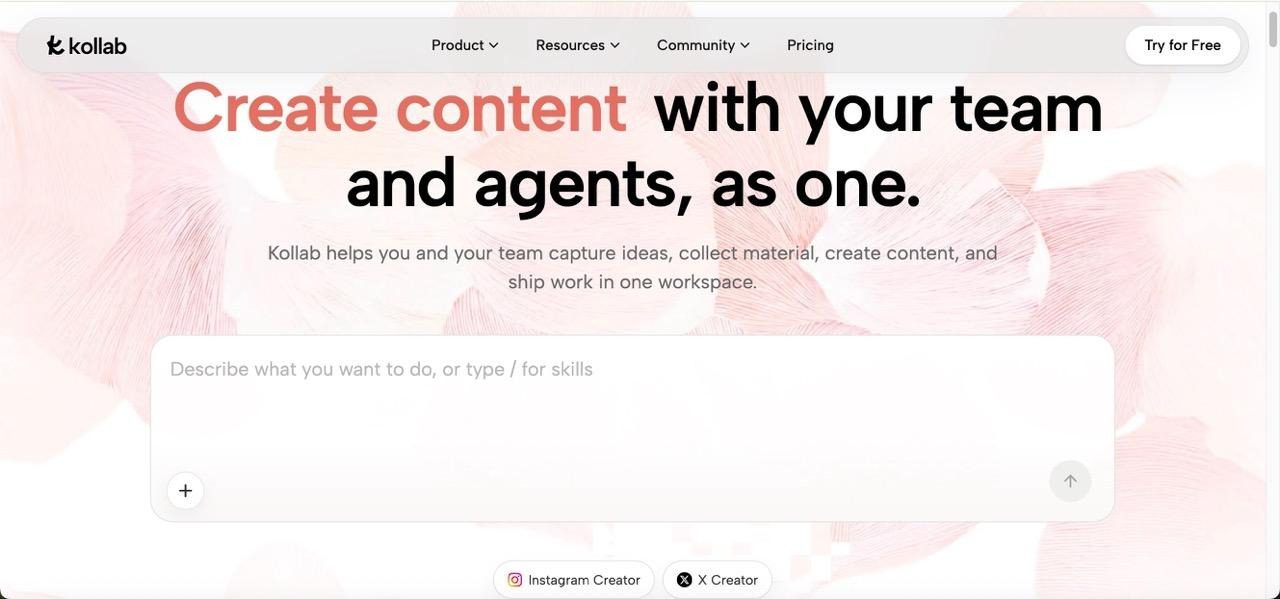
A product update gets discussed in Slack. Customer questions surface alongside technical explanations. Several promising content ideas emerge before the conversation moves on. Days later, the team recalls the discussion but struggles to recover what was confirmed, what still needs an answer, or which ideas were worth pursuing. As distributed and hybrid teams rely more heavily on chat platforms for day-to-day decisions, the gap between what is discussed and what gets documented has widened. Kollab offers teams a way to bring its workspace Agent into Slack or Telegram, transform selected chat information into structured work, and keep the result available for ongoing review.
Why Team Chat Alone Isn't Enough
Team chat platforms are designed for speed, not long-term organisation. A product manager may explain why a feature changed, a support specialist may add the questions users are asking, and a marketing colleague may suggest three useful angles. These contributions appear across different messages, often interspersed with unrelated updates.
The problem is not that the discussion lacks value. The problem is that nobody has converted it into something the team can reliably find and use later. One person may remember the decision, while another recalls an earlier version of the idea. Knowledge management researchers have long noted that the most valuable organisational knowledge — decisions, rationales, and customer insights — frequently lives in informal channels rather than formal documents, and is precisely the knowledge most at risk of being lost.
Copying an entire thread into a document rarely solves this. It moves the clutter without separating confirmed information from guesses, unanswered questions, and possible next steps. The real task is to organise the discussion, not merely preserve every message.
The Workflow: Step by Step
The workflow becomes easier to understand when each part has one clear purpose:
Choose the conversation worth keeping. A team member identifies a useful discussion rather than asking the Bot to process every message in a busy channel.
Bring the Bot into the request. The member mentions the Bot in Slack or Telegram and provides the relevant messages, key points, or a clear description of the discussion.
Name the required result. The request specifies how the information should be organised — confirmed facts, open questions, content ideas, and next actions.
Use the permitted workspace context. The Bot can draw on the projects, documents, knowledge base, Memory, or Skills that the team has authorised it to access.
Continue the result in the workspace. Reports, summaries, and analysis produced through the Bot sync back to the shared workspace, where teammates can view and edit them.
Chat remains the starting point. The shared workspace becomes the place where the organised result can be reviewed, updated, and reused.
Structuring the Output: Four Key Sections
A single summary often obscures the differences between a decision, a question, and an idea. A more practical approach separates the discussion into sections with distinct purposes.
1. Confirmed Information
This section should contain points that the team has clearly agreed on or that match approved project material. For a feature update, that might include the release date, the user problem being addressed, and the explanation approved by the product team.
The Bot should not move uncertain comments into this section simply because they sound confident. A reviewer can compare the result with the original discussion and project sources before treating it as final.
2. Open Questions
Unanswered questions need to remain visible rather than disappearing inside a polished summary. These might include a missing technical detail, an unclear customer impact, or a decision that still needs an owner.
Keeping them separate prevents writers and marketers from filling gaps with assumptions. It also gives the next meeting a useful starting point: the team can see exactly which answers are needed before creating public content.
3. Content Opportunities
Some chat messages are not final decisions, but they reveal useful topics. A repeated customer concern could become an FAQ entry. A developer's plain-language explanation could support a tutorial. A disagreement about terminology could suggest a glossary entry.
This section should describe the opportunity without implying the content is already approved. The team can later decide which idea matches its audience, timing, and available evidence.
4. Recommended Next Actions
The final section turns the organised information into a manageable handoff. It might suggest that the product team confirms one detail, support provides two customer examples, and an editor drafts a short guide once those answers arrive.
These are proposed actions, not automatic assignments. A team lead still decides who owns the work, adjusts priorities, and confirms whether the suggested sequence makes sense.
Crafting Effective Instructions
A vague request such as "summarise this conversation" may produce a readable paragraph, but it does not tell the Bot how to handle disagreement or missing information. A stronger instruction defines both the structure and the limits. For example:
Organise the relevant discussion below into four sections: Confirmed Information, Open Questions, Content Opportunities, and Recommended Next Actions. Use the approved project material when it helps clarify the discussion. Do not turn suggestions into confirmed decisions. Keep unresolved points under Open Questions, and identify which statements need a person to verify them.
The team member should include only the relevant part of the conversation. Removing greetings, repeated reactions, and unrelated updates makes the request easier to follow. The goal is not to recreate the channel — it is to preserve the meaning of one useful discussion.
Making Results Actionable in the Workspace
The value of the process depends on what happens after the Bot replies. If the result stays only in chat, it may soon become as difficult to find as the original conversation.
For this kind of work, Kollab's AI Creation Workspace gives the team a shared place to continue. Work produced through the Bot can sync back to the workspace, where colleagues can open, review, and edit it. The team can also control whether the Bot accesses all projects or only selected projects and Skills.
A product owner might correct one confirmed point. A support lead may add a missing customer question. An editor can turn one approved content opportunity into a brief. The organised discussion therefore becomes a working reference rather than a finished document that nobody revisits.
This shared record is especially helpful when people work across locations or time zones. Someone who missed the original discussion can review the organised result without asking colleagues to reconstruct the entire conversation from memory. Kollab sits within a growing category of AI-assisted workspace tools — alongside offerings such as Notion AI and Slack's native summarisation features — that aim to bridge the gap between ephemeral conversation and durable documentation. What distinguishes a structured four-section approach is its insistence on surfacing uncertainty rather than smoothing it over.
Getting Started: A Practical Approach
Begin with one repeated situation, such as product-update discussions or weekly customer-feedback reviews. Do not start by asking the Bot to organise every team channel.
For two weeks, use the same four-section request whenever a relevant discussion appears. Then check whether the results preserved the decisions accurately, kept questions visible, and helped someone take a useful next step. Note which parts needed the most correction.
If the team repeatedly uses the same structure, the method can later be saved as a reusable Skill. First, however, the team should prove that the categories work for real conversations. A template is only valuable when people trust what belongs in each section.
Record one or two examples where the structure prevented confusion or revealed missing information. These examples will show whether the method solves a real handoff problem instead of merely producing cleaner-looking summaries.
The simplest measure is practical: can a teammate who missed the original chat understand what was decided, what remains unresolved, and what could happen next? Teams evaluating this kind of workflow should watch whether structured outputs actually get referenced in subsequent work, or whether they sit unread — the same fate that often befalls conventional meeting notes.
Useful knowledge already exists inside many team conversations, but it becomes valuable only when people can recover and act on it. Choose one meaningful discussion, give the Bot the relevant context, and separate confirmed facts from questions, ideas, and proposed actions. Then review the result in the shared workspace instead of leaving it buried in chat. Start with one recurring discussion this week and use Kollab to turn it into a clear, reusable reference your team can build on.
Read also: The Hub: inside Ibukun Awosika's workspace with a $1,500 membership plan
Source: TechNext24 | Kollab Product

