Google DeepMind Launches Gemini Omni 1.1 Flash With Scene Extension, Keyframe Control and 4K Upscaling
Key Takeaways
- •Gemini Omni 1.1 Flash can extend video scenes in 10-second increments to a cumulative maximum of 40 seconds, analyzing up to 10 seconds of prior context compared with the single second referenced by earlier models.
- •Developers can specify first and last keyframes, and the model generates continuous video between them to support camera orbits, zoom transitions and seamless loops.
- •Draft previews in 360p generate up to 60% faster and at one-third the cost of standard 720p resolution, based on Google's system throughput comparison, while final projects can be rendered in 1080p or 4K.
- •Adobe has integrated Gemini Omni Flash into Adobe Firefly, and partners including Figma Weave, GMI Cloud and Runway report using the model in production creative workflows.
- •The model is accessible to developers through Google AI Studio and the Gemini Enterprise Agent Platform, and is also rolling out to Google AI Plus, Pro and Ultra subscribers globally in Google Flow, with scene extension available in the Gemini app.
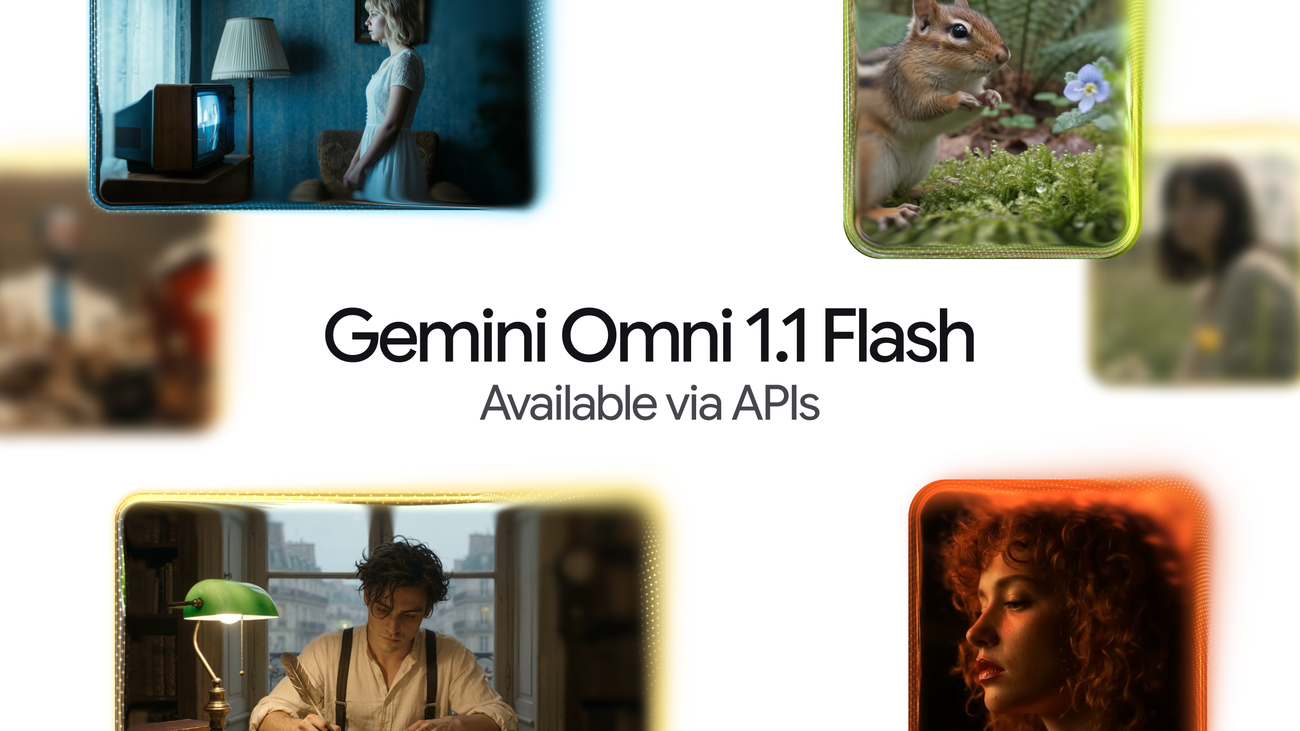
Google DeepMind Launches Gemini Omni 1.1 Flash With Scene Extension, Keyframe Control and 4K Upscaling
Google DeepMind, Google's AI research division behind the Gemini model family, has introduced Gemini Omni 1.1 Flash, a production-ready update that gives developers improved control over generative video. Announced on August 27, 2026 by Anish Nangia and Alisa Fortin, Product Managers at Google DeepMind, the release delivers studio-quality video production capabilities, including the ability to extend a scene, first and last frame interpolation, crisp 4K upscaling and faster prototyping. Developers can start building today by accessing the model through Google AI Studio or the Gemini Enterprise Agent Platform.
According to Google, Gemini Omni brought real-world reasoning to generative creation, and the new updates make Omni 1.1 production-ready for professional use via the Gemini API in Google AI Studio. Whether developers are building generative video workflows, creative tools or media editing software, the update is designed to make generative video more controllable, faster to iterate on and polished for real-world deployment. The feature set targets the practical gap between raw generation and finished production work: keeping footage coherent over longer durations, directing the camera deliberately and iterating cheaply before committing to final renders.
The headline capabilities are:
- Extend scenes up to 40 seconds with improved visual consistency and narrative flow.
- Set start and end frames to create smooth, professional camera movements and transitions.
- Use 360p previews to iterate faster and save money during the creative process.
- Upscale final projects to 4K resolution for a polished, professional look.
Scene extension for longer storytelling
Scene extension takes an existing video and continues generating footage seamlessly from where it left off. With Omni 1.1, the model can now analyze up to 10 seconds of prior context — a leap from previous models that only referenced the final second. Google says the result is improved visual consistency and narrative adherence, letting developers build longer stories or branch into new creative directions. Videos can be extended in 10-second increments up to a total cumulative length of 40 seconds. Sustained coherence over longer runs has been one of the harder problems in generative video, where models have typically produced short clips that drift visually when footage is stretched beyond its original length.
Example prompt chains published with the announcement illustrate the feature:
- Prompt 1: Camera slightly pans and we now see she is talking to a man with curly hair, we see man's back, he says "I see it too" dramatic music score
- Prompt 2: Camera slowly pulls out, forgotten dusty catacombs, dramatic music score.
- Prompt 3: Camera slowly pulls out, a vast library where shelves and books float weightlessly in a dusty void, dramatic music score.
A second sequence demonstrates cinematic camera continuation:
- Prompt 1: Continue the video. Execute a cinematic optical dolly-zoom shot. The camera dollies forward while simultaneously zooming out, keeping the character's frozen shocked face locked at the exact same size. The long corridor of stone pillars in the background dramatically stretches and deepens with intense optical perspective distortion. Clean architecture, continuous unbroken shot.
- Prompt 2: Continue the video. The camera executes a fast mechanical snap-zoom directly into the character's wide eyes. Stylized cinematic camera control.
- Prompt 3: Continue the video. Time completely freezes into a static moment: the character, their windblown coat. The camera performs a smooth, high-speed 360-degree orbital rotation around the frozen character, showcasing dramatic 3D depth and parallax across the colonnade. Flawless continuity.
Further examples show dialogue-driven extensions:
- Prompt 1: The man in the blue sweater replies: "Did your father go out on the boat too?"
- Prompt 2: The camera pulls back in one continuous movement as he continues his story: "He used to say that this harbour had a soul. And that the boats were a part of us." The music swells.
Another pair of prompts covers presenter-style continuations:
- Prompt 1: The looks directly at the camera and talks about what the final chapter will end with!
- Prompt 2: He then stands up walks around the desk to the camera and says "what would you choose?"
Google also documents how to extend a scene with the Gemini API.
Specifying first and last frames
Developers can achieve smooth transitions and camera movements by specifying the starting and ending frames of a shot. Omni 1.1 generates continuous video between two keyframes, making it suited to complex camera orbits, zoom transitions or seamless looping clips. Example prompts include:
- Prompt 1: A close-up low-angle shot of a stylish drummer in a beige suit playing a red drum kit in a grand hall transitions as the camera whip-pans to the side, revealing an older saxophonist playing alongside a ballet dancer spinning in a white outfit under soft purple stage lights. One continuous shot, no jump cuts.
- Prompt 2: The camera zooms into the TV screen, where we see the same woman and the same scene from the beginning. Seamless video. One continuous shot, no jump cuts.
Drafting more efficiently in 360p
Omni 1.1 can generate lightweight previews in 360p resolution up to 60% faster and at a third of the cost compared with the model's standard 720p resolution. Google notes this is useful for rapid prototyping, storyboard iteration and quick rendering in developer platforms. The company adds a footnote: the up to 60% faster generation figure is based on system throughput of 360p vs. 720p resolution.
One example prompt reads: A microscopic view of iridescent marine diatoms, displaying intricate, glass-like silica shells with breathtaking natural symmetry. The colors range from deep volcanic amber and warm copper to vibrant turquoise and violet, mimicking the rich palette of earth and ocean. Tiny, delicate structures glow softly against a clean dark field background. High-fidelity scientific imaging, sharp details, organic textures, micro-photography. Maintain the microscope lens effect throughout the entire video.
Upscaling to 4K resolution
The model generates polished, high-resolution 1080p or 4K outputs that are ready for professional production. Example prompts include:
- Prompt 1: Fish swimming, tracking shot
- Prompt 2: A little chipmunk darting out of the woods from the left side of the screen and sniffing the air inquisitively before darting out of frame on the right side
- Prompt 3: Cinematic macro close-up of vibrant golden-orange Japanese maple leaves on a delicate branch, gently rustling and swaying in a soft, rhythmic autumn breeze. Sunlight filters through the translucent foliage, creating a warm, glowing effect. Shallow depth of field, dreamy bokeh background, hyper-detailed textures, photorealistic, 4k.
Video references in multimodal input
Developers can reference up to three seconds of video when crafting a scene, allowing them to maintain visual context and character consistency based on video references, an approach that anchors generation to supplied footage rather than text prompts alone. An example prompt:
Use the three uploaded videos of dancers and replace them with the provided characters. Have them perform their individual dances from the reference videos, all together in the large, open space from the provided image. The dog character dog.png should do the classical dance from dance3.mp4. The octopus octo.png should do the hip hop dance from dance1.mp4, and the bear bear.png should do the breakdance from dance2.mp4. The final result should be one continuous shot with no scene cuts.
Concepts for what developers can build
Google shared several concepts showing how the new capabilities can be put into action across custom tools and creative workflows:
- A keyframe-transition app in which users drop in a first and last frame and generate the transition between them using presets or a prompt box, with Omni's full-context reasoning producing camera moves that read as real.
- A room-tour app that moves the camera through the rooms — arcing, pushing in and pulling back — showing a home in an aspirational state at the perfect time of day while adding no furniture or details that don't exist.
- The Draft Room, which makes creative exploration cheap and structured: generate 3-4 draft variations in 360p, varying one thing at a time, and compare them side by side. Google notes that creators already generate several videos before landing on the right one.
Customers putting Omni Flash in production
Google says customers are already driving real-world production with Gemini Omni Flash via the Agent Platform API. Adobe integrated Gemini Omni Flash into Adobe Firefly, Adobe's family of generative AI creative tools, and the company points to a video showcasing its video editing capabilities. The partner roster — spanning design tools, creative platforms and cloud infrastructure — illustrates how generative video is being embedded into established professional workflows rather than offered only as a standalone model.
Partners described how they are using the model:
"Gemini Omni Flash is one of the strongest video models available in Figma Weave, where the canvas helps creative teams build on every generation — attaching references, branching different versions, and shaping something unique. With extensions, richer reference material, and 4K resolution, Gemini Omni Flash takes teams beyond generating videos to truly directing them." — Itay Schiff, Creative Director, Figma Weave.
"At GMI Cloud, we give creators centralized access to the world's most capable models. What stands out about Gemini Omni Flash is its accuracy: the details hold up under scrutiny. For customers creating educational and explanatory content, where getting things right is essential, that reliability matters more than any single feature. Omni has made AI video viable for a segment that previously couldn't rely on it." — Louisa Guo, VP of Marketing, GMI Cloud.
"Omni Flash fits naturally into how people already use Runway: start with a prompt, an image or a video, then generate or edit from there. It's another way for our users to move quickly between ideas." — Jamie Umpherson, Chief Creative Officer, Runway.
Availability and pricing
Omni 1.1 is rolling out across the Google developer ecosystem:
- Start building in Google AI Studio: developers can try out Omni 1.1 directly in Google AI Studio.
- Deploy on the Gemini Enterprise Agent Platform: enterprise developers can deploy Omni 1.1 on the platform.
- Explore the developer documentation: the official documentation, the cookbook and prompting guides cover how to integrate scene extensions, video references and upscaling into applications.
Omni 1.1 is also available to all Google AI Plus, Pro and Ultra subscribers globally in Google Flow, starting today. Scene extension is available to all Google AI Plus, Pro and Ultra subscribers globally in the Gemini app. Shipping to developers and consumer subscribers at the same time continues Google's pattern of releasing its generative models across both API and app surfaces.
Further details, including the pricing table, are available in the original announcement on the Google DeepMind blog and on the Gemini Omni model page.

