Best Crypto Widgets for Your Project in 2026
Key Takeaways
- •ChangeNOW is identified as the best crypto exchange widget in the review.
- •Swapzone provides swap functionality with volume-based revenue-sharing tiers and best-price quoting from its aggregator.
- •CoinGecko and CoinMarketCap are presented as market data widgets for displaying prices, tickers, and related information.
- •MoonPay offers fiat-to-crypto and crypto-to-fiat functionality, but its availability and features vary by country.
- •The guide says widget selection should be based on use case, asset coverage, regional restrictions, and expected transaction volume.
Building crypto functionality remains a hurdle for many Web3 businesses, especially those short on coding skills or engineering resources. Crypto widgets offer an alternative: rather than building or redesigning such functionality in-house, businesses can embed ready-made components that deliver exchanges, payments, market data tracking, tickers, and portfolio views directly in their products.
Because widgets integrate directly into a business's app or website, they create a smooth, unified experience for users without redirecting them to another platform. Businesses can still modify colors and logos, or otherwise configure a widget so that it matches their design.
This guide breaks down five of the best crypto widgets that business teams can use to embed crypto functionality into their products. Each provider is evaluated on its asset coverage, its customization model, and the types of businesses it is best suited for.
The evaluation finds ChangeNOW to be the best crypto exchange widget for integrating swap functionality into Web3 businesses. The widget combines broad asset coverage — more than 1,500 cryptocurrencies available for exchange across over 110 networks — with minimal deployment effort, product-matching customization options, and commission revenue on completed swaps.
The list of the best crypto widgets:
- ChangeNOW
- Swapzone
- CoinGecko
- MoonPay
- CoinMarketCap
These providers offer different functionality. Some focus on transactions, such as crypto swaps or payments, while others deliver live market data — cryptocurrency prices, tickers, or portfolio details — to a site's audience. The revenue models split along similar lines: ChangeNOW and Swapzone pay the embedding business a share of every completed swap, MoonPay lets businesses set their own fees on fiat purchases, and CoinGecko's data widgets carry referral links and buttons that direct users to external trading platforms.
ChangeNOW
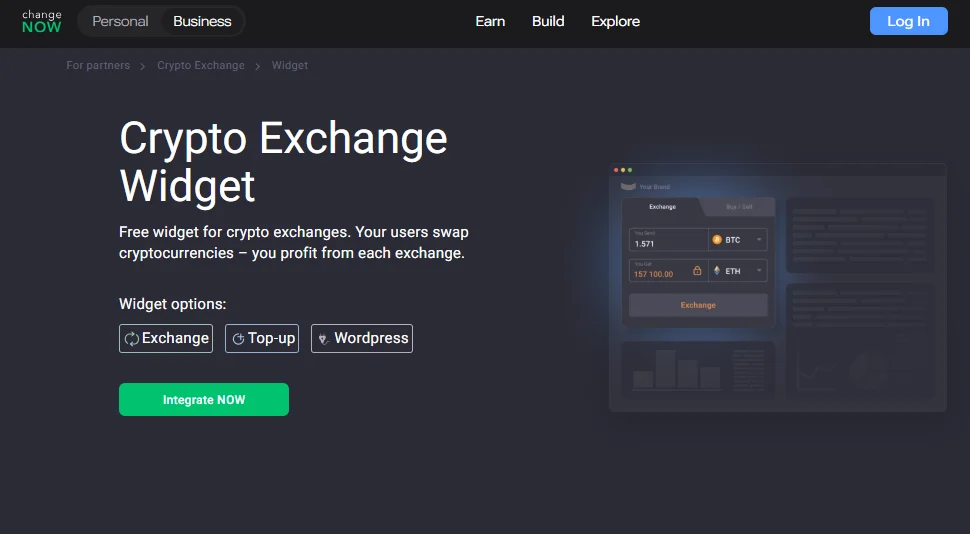
Overview: The ChangeNOW Crypto Exchange Widget is a ready-made solution that lets businesses put crypto swaps on their products within a couple of hours, so users swap right where they are instead of being routed elsewhere. In return, businesses earn a commission on every transaction they facilitate, starting from 0.4% or higher, with an option to customize the commission based on specific assets and pairs. The development setup is simple and often does not require engineers.
Asset coverage: The ChangeNOW widget supports over 1,500 crypto assets, available for exchange on more than 110 networks and over 2 million exchange pairs. New assets are constantly being added, so businesses always have access to the latest and most trending assets.
Customization: Several options allow the widget to match a brand's design. Businesses can set the widget as a classic rectangle or a landscape banner-style layout, set a default language or let users pick their own, match the widget's primary and background colors to their site's design, and switch on a dark theme.
Best for: Small Web3 projects that already work with digital assets, including crypto news websites, exchanges, wallets, and other crypto-related services.
Swapzone
Overview: The Swapzone Swap Widget allows any website or application to embed swap options. Once embedded, users on these platforms can trade any asset from the entire Swapzone exchange crypto selection without leaving the platform. A key benefit is that the widget outputs data directly from the Swapzone aggregator to display the best price to users. Because Swapzone sits on top of an aggregator that compares offers across its partner exchanges, the widget can surface a best-available rate rather than a single venue's quote. Businesses embedding the widget earn a percentage of the service fee on every transaction made. The reward scheme is cumulative — the higher the monthly volume, the greater the profits — with revenue-sharing rates ranging from 0.05% to 0.25% per swap across five commission tiers. Partners with higher volumes can also negotiate custom profit-sharing agreements.
Asset coverage: The widget provides swap support for more than 1,000 crypto assets, including all those listed by Swapzone's aggregator partners.
Customization: Businesses adding the Swapzone widget to their products can choose a dark or light theme and a horizontal or vertical orientation. They can also select custom default tokens from the various available pairs and decide whether the Swapzone logo is shown.
Best for: Crypto exchange comparison sites, portfolio trackers, and established Web3 platforms with steady swap volume.
CoinGecko
Overview: Unlike the first two providers, which offer swap widgets, the CoinGecko widget operates as a tool for displaying cryptocurrency market data. It is made up of several services, termed the 'widget library,' which includes a coin ticker, a coin price chart, a coin converter, a coin heatmap, a coin list/market table, and a random coin widget. All of these visualizers focus on data display pulled from CoinGecko's own price and market data, and include referral links and buttons that direct users to external trading platforms.
Asset coverage: The widget supports the tens of thousands of coins tracked by CoinGecko, though individual widgets display only selected assets.
Customization: Each CoinGecko widget has configurable width and height, a dark or light theme, currency, locale, and — for some widgets — the number of coins shown.
Best for: Crypto media, blogs, and portfolio sites that want live price and market data display.
MoonPay
Overview: The MoonPay widget is a fiat-to-crypto on/off-ramp. Its architecture allows websites or applications to embed both fiat-to-crypto purchases and crypto-to-fiat payouts directly into their interfaces. For a buy transaction, the user picks an asset and a payment method, then completes the flow inside the widget itself. Businesses can integrate it as a fully hosted widget for fast deployment or use MoonPay's headless SDK to build a custom UI. One requirement worth flagging is that every user must pass KYC and risk-management checks in line with applicable laws. The widget is also not available in every country, and some of its features are restricted by region. For businesses with international audiences, checking country and feature availability is therefore part of the integration decision.
Asset coverage: The widget supports more than 100 cryptocurrencies across major chains and multiple fiat payment rails, including cards, Apple Pay, Google Pay, bank transfers, and several local payment methods. Availability depends on the region.
Customization: Businesses can customize the widget to feel like a native part of their site or application. This can be done by adjusting button and background colors, choosing which cryptocurrencies customers can buy or sell, setting their own fees, or adding their logo to the transaction emails sent to customers. The widget also allows businesses to pre-fill user information such as wallet address, email, selected token, fiat currency, amounts, and preferred payment methods.
Best for: Wallets, exchanges, and Web3 apps that need users to fund their accounts with fiat or cryptocurrency.
CoinMarketCap
Overview: CoinMarketCap operates as a market data widget similar to CoinGecko. Its official tools page lists support for three layout formats: a coin ticker, a coin price marquee, and coin price blocks. The ticker displays coin prices and can include fields such as market capitalization or trading volume. The marquee format operates as a running ticker, while the coin price blocks present assets in separate price panels. All of these solutions pull their data from the CoinMarketCap core dataset.
Asset coverage: All three CoinMarketCap widgets cover tens of thousands of tracked cryptocurrencies. However, the number and type of assets that appear depend on what businesses configure.
Customization: The widget allows site owners to select a visual format — ticker, marquee, or price blocks — and configure the assets to display. Businesses can also choose which stats to surface (ticker, rank, market cap, or volume) and select either a light or dark theme.
Best for: News sites, blogs, and portfolio trackers.
Conclusion
As the crypto user base grows, so does the pressure on businesses to build products that meet their needs. As this guide shows, businesses no longer need an in-house developer team to address the issue: widgets let them add crypto functionality in hours, and in most cases this happens while they earn revenue.
The five providers discussed above offer a broad list to choose from. For businesses that want users to swap crypto without leaving the page, ChangeNOW and Swapzone are the strongest options identified in the review. For users who need to buy crypto with fiat, MoonPay fits that role. And for simply displaying live prices and market data, CoinGecko and CoinMarketCap provide that capability. From there, shortlisting comes down to practical checks drawn from this review: whether a provider's asset and network coverage matches what a site's users actually hold, whether fiat flows are feasible given MoonPay's country-level restrictions, and how each payout model — ChangeNOW's customizable per-pair commission or Swapzone's volume-based tiers — fits the transaction volumes a business expects. The key, according to the review, is matching the widget to the right use case so that it delivers on what users need.
This article first appeared on Blockonomi: Best Crypto Widgets for Your Project in 2026.

