How an AI Image-to-Image Editor Can Simplify Your Image Editing Workflow
Key Takeaways
- •AI image-to-image editors use mature diffusion-based models to transform an existing image directly, distinguishing them from older fixed one-click filters.
- •These tools cut the most time in volume workflows, such as applying a consistent style across product catalogs or batches of social graphics.
- •Automated subject and region handling lowers the skill barrier, making techniques like clean subject isolation accessible without traditional editing expertise.
- •Key criteria when choosing a tool include content preservation, control over transformation intensity, batch consistency, and processing speed.
- •The article notes manual editing remains valuable for fine detail work, with efficient workflows combining AI automation and human refinement.
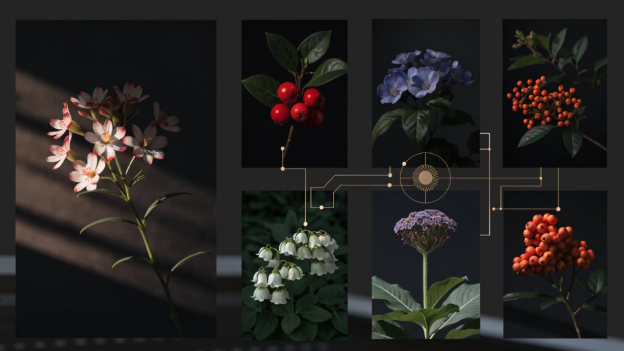
Most editing workflows consist of many small, repetitive decisions: crop here, adjust that lighting, remove this element, try a different color treatment. Each step is manageable on its own, but across dozens of images they compound into a genuinely time-consuming process. An ai image to image editor changes this by letting you start from an existing image and apply transformations directly, eliminating much of the manual repetition traditional editing demands.
These tools belong to a broader shift in creative software: diffusion-based image models, which first gained wide attention with text-to-image generation, have matured to the point where they can reliably take an existing image as input and return a controlled variation of it. That capability is what distinguishes image-to-image editing from older automated features like one-click filters, because the model interprets the content of the image rather than applying a fixed effect blindly.
Why Traditional Editing Workflows Take So Long
A typical manual editing session involves opening an image, selecting specific regions, applying individual adjustments, checking the result, and repeating that cycle until the image looks right. Every one of these steps requires both a decision and a manual action, and the more images that need the same treatment, the more that time multiplies.
The problem is especially visible for anyone working at volume: product photos for an online store, a batch of social media graphics, or a series of illustrations that need a consistent style. Performing the same edit manually across dozens of images is among the most tedious parts of any creative workflow. E-commerce platforms typically require uniform product imagery, and marketplace listings with inconsistent lighting or backgrounds can look unprofessional — which is exactly the kind of constraint that makes volume editing both unavoidable and painful when done by hand.
What Makes an AI Image-to-Image Editor Different
Rather than starting from a blank canvas or building an edit through a long chain of manual steps, an ai image to image editor takes an existing image as its starting point and applies a transformation directly — whether that is a style change, a lighting adjustment, an object removal, or a broader creative reinterpretation.
This shifts the workflow from a sequence of manual actions to a more direct instruction. Instead of manually selecting and replacing a background, adjusting color individually, and blending the result, a single transformation step can accomplish what previously required several distinct manual stages.
Where This Actually Saves Time in a Real Workflow
Batch Style Consistency
Applying a consistent visual style across a set of images — useful for anything from a product catalog to a themed social media feed — becomes far faster when a single transformation can be applied repeatedly rather than manually recreating the same adjustments image by image.
Quick Iteration on Creative Direction
Testing multiple stylistic directions for the same base image, common during early creative exploration, happens much faster when each variation is generated directly from the original instead of being rebuilt manually from scratch each time.
Reduced Manual Selection Work
Tasks that traditionally demanded careful manual selection — isolating a subject, defining a specific region to adjust — are handled automatically by an AI model that understands image content, removing one of the more tedious and error-prone parts of manual editing. This also lowers the skill barrier: techniques like clean subject isolation that once took practice to master in traditional editors become accessible to users without that background.
Fewer Separate Tools Required
Rather than switching between different tools or techniques for different adjustments, a capable image-to-image editor can often handle style changes, object removal, and lighting adjustments within a single consistent workflow.
A Practical Look at How This Fits Into a Real Project
Consider a small business preparing a set of product photos for an online listing. Each photo needs a clean, consistent background, corrected lighting, and a similar visual style across the whole set. Done manually, that means individually editing each photo through several separate steps — background removal, lighting correction, style matching — repeated for every single image.
Using an ai image to image editor, the same set of photos can go through a single transformation pass that applies consistent adjustments across the batch, dramatically reducing the manual work needed to make every image look cohesive.
What to Consider When Choosing a Tool
How Well It Preserves the Original Content
A strong image-to-image editor maintains the core structure and content of the original image unless specifically instructed otherwise, rather than producing results that drift unpredictably from what was actually uploaded. This matters most for commercial work, where the product being photographed must remain accurately represented.
Control Over Transformation Intensity
Being able to adjust how strongly the AI changes the original image matters for different tasks. A subtle lighting correction calls for a much lighter transformation than a full stylistic reinterpretation.
Consistency Across Multiple Images
For batch workflows where images must look cohesive together, how consistently a tool applies the same transformation style across different source images matters more than how it performs on any single image in isolation.
Speed and Turnaround
Since one of the main appeals of this kind of tool is saving time compared to manual editing, how quickly it processes and returns results directly determines whether it meaningfully improves a real workflow.
Where Manual Editing Still Has a Place
Even with a capable ai image to image editor handling much of the repetitive work, some tasks still benefit from manual refinement — particularly fine detail work or highly specific creative adjustments that demand precise, individual control rather than a broad automated transformation. The most efficient workflows tend to combine both: AI tools handle the repetitive, time-consuming parts of editing while manual adjustment is reserved for the details that genuinely need it.
Conclusion
An ai image to image editor does not eliminate the need for editing judgment, but it removes a significant amount of the repetitive manual work that traditionally slowed editing workflows down, particularly when working across multiple images that need consistent treatment. By starting from an existing image and applying transformations directly rather than rebuilding adjustments step by step, this kind of tool turns what was once a lengthy, repetitive process into something considerably faster — leaving more time for the creative decisions that truly benefit from a human touch.
Source: FinTechZoom
