Google DeepMind 推出 Gemini Omni 1.1 Flash,新增場景延伸、關鍵影格控制與 4K 放大
重點速覽
- •Gemini Omni 1.1 Flash 可將影片場景以 10 秒為增量延伸,累積最長 40 秒;相較於前一代模型僅參考最後 1 秒,它最多可分析前 10 秒的上下文。
- •開發者可指定第一與最後關鍵影格,模型會在兩者之間生成連續影片,適合鏡頭環繞、變焦轉場與無縫循環。
- •360p 草稿預覽的生成速度最高可快 60%,成本為標準 720p 的三分之一;最終作品則可輸出為 1080p 或 4K。
- •Adobe 已將 Gemini Omni Flash 整合進 Adobe Firefly,而 Figma Weave、GMI Cloud 與 Runway 等合作夥伴也表示已在生產工作流程中使用該模型。
- •開發者可透過 Google AI Studio 與 Gemini Enterprise Agent Platform 使用該模型;Google AI Plus、Pro 與 Ultra 訂閱者也可在 Google Flow 中使用,且 Gemini app 已提供場景延伸。
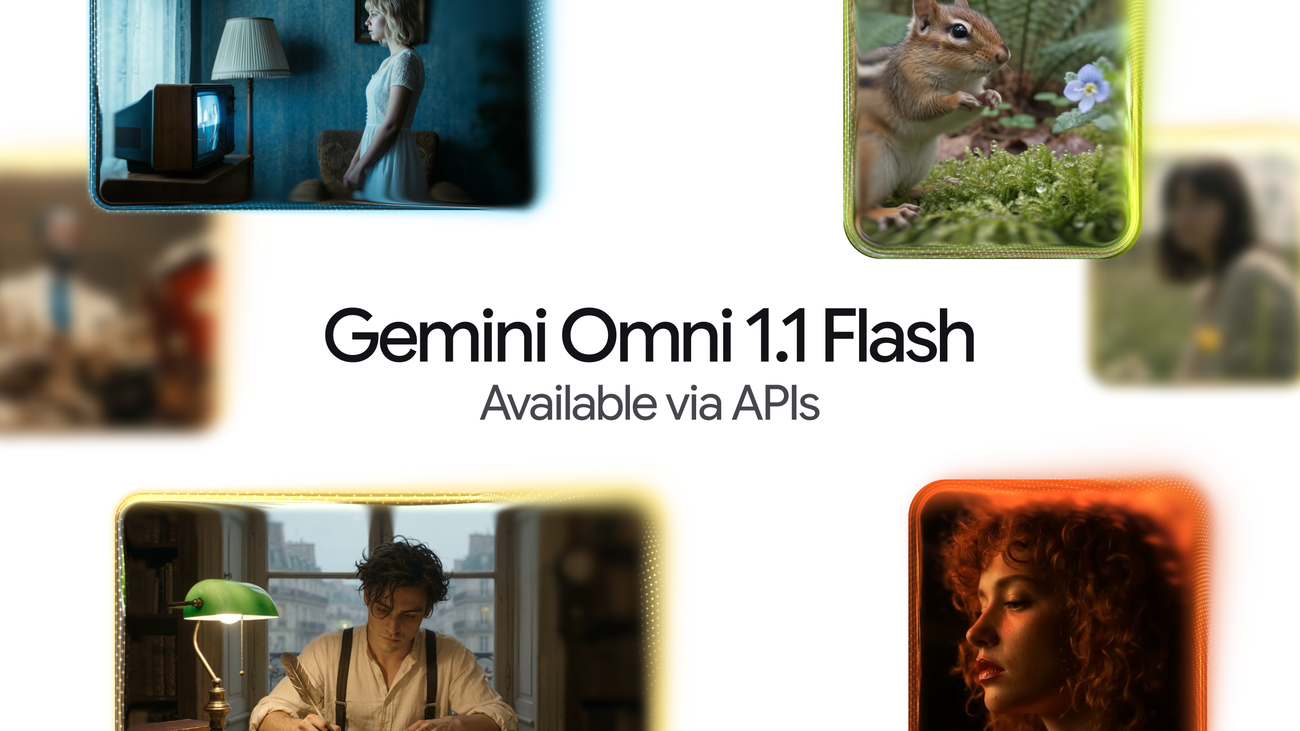
Google DeepMind 推出 Gemini Omni 1.1 Flash,新增場景延伸、關鍵影格控制與 4K 放大
Google DeepMind,也就是 Google Gemini 模型家族背後的 AI 研究部門,推出了 Gemini Omni 1.1 Flash,這是一項可投入生產的更新,讓開發者能更精準地控制生成式影片。這項更新於 2026 年 8 月 27 日由 Google DeepMind 的產品經理 Anish Nangia 與 Alisa Fortin 發布,帶來了工作室級影片製作能力,包括場景延伸、首尾畫面插值、清晰的 4K 放大,以及更快的原型開發。開發者今天就能透過 Google AI Studio 或 Gemini Enterprise Agent Platform 開始使用該模型。
Google 表示,Gemini Omni 將現實世界推理帶入生成式創作,而這次更新則讓 Omni 1.1 可透過 Google AI Studio 中的 Gemini API 供專業用途使用。無論開發者是在打造生成式影片工作流程、創意工具,還是媒體編輯軟體,這次更新的目標都是讓生成式影片更可控、迭代更快,並能以更成熟的品質投入真實部署。這組功能主要解決原始生成與最終製作之間的實際落差:讓素材在更長時間內保持一致、以更明確的方式控制攝影機,並在正式輸出前以較低成本反覆調整。
重點功能包括:
- 以更佳的視覺一致性與敘事連貫性,將場景延伸至多 40 秒。
- 設定開始與結束畫面,建立平滑、專業的鏡頭運動與轉場。
- 使用 360p 預覽,加快迭代並節省創作成本。
- 將最終作品放大至 4K 解析度,呈現更精緻、專業的效果。
以場景延伸支援更長篇幅的敘事
場景延伸可接續既有影片,從原本停止的位置無縫生成後續畫面。透過 Omni 1.1,模型現在最多可分析前 10 秒的上下文,較先前僅參考最後 1 秒的模型有明顯提升。Google 表示,這將帶來更好的視覺一致性與敘事貼合度,讓開發者能建立更長的故事,或延伸到新的創作方向。影片可每次延伸 10 秒,累積最長可達 40 秒。對生成式影片而言,在更長片段中維持穩定一致性一直是較難的問題之一,因為模型在素材超出原始長度後,通常會生成視覺上逐漸偏移的短片。
公告中公布的示例提示詞鏈展示了這項功能:
- 提示詞 1:Camera slightly pans and we now see she is talking to a man with curly hair, we see man's back, he says "I see it too" dramatic music score
- 提示詞 2:Camera slowly pulls out, forgotten dusty catacombs, dramatic music score.
- 提示詞 3:Camera slowly pulls out, a vast library where shelves and books float weightlessly in a dusty void, dramatic music score.
另一組序列則展示了電影式鏡頭延續:
- 提示詞 1:Continue the video. Execute a cinematic optical dolly-zoom shot. The camera dollies forward while simultaneously zooming out, keeping the character's frozen shocked face locked at the exact same size. The long corridor of stone pillars in the background dramatically stretches and deepens with intense optical perspective distortion. Clean architecture, continuous unbroken shot.
- 提示詞 2:Continue the video. The camera executes a fast mechanical snap-zoom directly into the character's wide eyes. Stylized cinematic camera control.
- 提示詞 3:Continue the video. Time completely freezes into a static moment: the character, their windblown coat. The camera performs a smooth, high-speed 360-degree orbital rotation around the frozen character, showcasing dramatic 3D depth and parallax across the colonnade. Flawless continuity.
更多例子展示了以對白驅動的延伸:
- 提示詞 1:The man in the blue sweater replies: "Did your father go out on the boat too?"
- 提示詞 2:The camera pulls back in one continuous movement as he continues his story: "He used to say that this harbour had a soul. And that the boats were a part of us." The music swells.
另一組提示詞則涵蓋主持人式的延續:
- 提示詞 1:The looks directly at the camera and talks about what the final chapter will end with!
- 提示詞 2:He then stands up walks around the desk to the camera and says "what would you choose?"
Google 也說明了如何透過 Gemini API 延伸場景。
指定第一與最後畫面
開發者可透過指定鏡頭的起始與結束畫面,達成平滑的轉場與鏡頭運動。Omni 1.1 可在兩個關鍵影格之間生成連續影片,因此特別適合複雜的攝影機環繞、變焦轉場或無縫循環片段。範例提示詞包括:
- 提示詞 1:A close-up low-angle shot of a stylish drummer in a beige suit playing a red drum kit in a grand hall transitions as the camera whip-pans to the side, revealing an older saxophonist playing alongside a ballet dancer spinning in a white outfit under soft purple stage lights. One continuous shot, no jump cuts.
- 提示詞 2:The camera zooms into the TV screen, where we see the same woman and the same scene from the beginning. Seamless video. One continuous shot, no jump cuts.
以 360p 更有效率地起草影片
Omni 1.1 可在 360p 解析度下生成輕量預覽,速度最高可比標準 720p 解析度快 60%,成本則為三分之一。Google 表示,這對快速原型設計、分鏡迭代與開發平台上的快速渲染很有幫助。公司也補充註解:最高快 60% 的生成速度,是根據 360p 與 720p 解析度的系統吞吐量比較得出。
其中一個示例提示詞如下:A microscopic view of iridescent marine diatoms, displaying intricate, glass-like silica shells with breathtaking natural symmetry. The colors range from deep volcanic amber and warm copper to vibrant turquoise and violet, mimicking the rich palette of earth and ocean. Tiny, delicate structures glow softly against a clean dark field background. High-fidelity scientific imaging, sharp details, organic textures, micro-photography. Maintain the microscope lens effect throughout the entire video.
放大至 4K 解析度
該模型可生成精緻的高解析度 1080p 或 4K 輸出,適合專業製作。範例提示詞包括:
- 提示詞 1:Fish swimming, tracking shot
- 提示詞 2:A little chipmunk darting out of the woods from the left side of the screen and sniffing the air inquisitively before darting out of frame on the right side
- 提示詞 3:Cinematic macro close-up of vibrant golden-orange Japanese maple leaves on a delicate branch, gently rustling and swaying in a soft, rhythmic autumn breeze. Sunlight filters through the translucent foliage, creating a warm, glowing effect. Shallow depth of field, dreamy bokeh background, hyper-detailed textures, photorealistic, 4k.
在多模態輸入中加入影片參考
在構思場景時,開發者最多可參考 3 秒的影片,藉此根據影片參考維持視覺上下文與角色一致性,也就是讓生成結果以提供的素材為依據,而不只是依賴文字提示詞。範例提示詞:
Use the three uploaded videos of dancers and replace them with the provided characters. Have them perform their individual dances from the reference videos, all together in the large, open space from the provided image. The dog character dog.png should do the classical dance from dance3.mp4. The octopus octo.png should do the hip hop dance from dance1.mp4, and the bear bear.png should do the breakdance from dance2.mp4. The final result should be one continuous shot with no scene cuts.
開發者可打造的應用概念
Google 分享了幾個概念,說明這些新能力如何應用於自訂工具與創意工作流程:
- 一款關鍵影格轉場應用,使用者可放入第一與最後畫面,並透過預設或提示詞框產生中間轉場,利用 Omni 的全上下文推理產生看起來真實的鏡頭運動。
- 一款房屋導覽應用,讓攝影機穿梭各房間,進行弧形移動、推進與拉遠,在一天中理想的時刻呈現具願景感的家居狀態,同時不加入不存在的家具或細節。
- Draft Room,讓創意探索更便宜且更有結構:以 360p 生成 3 到 4 個草稿變體,每次只改變一個元素,然後並排比較。Google 指出,創作者通常會先生成多支影片,才選定最終版本。
客戶已將 Omni Flash 用於生產環境
Google 表示,客戶已經透過 Agent Platform API,將 Gemini Omni Flash 用於真實生產流程。Adobe 已將 Gemini Omni Flash 整合進 Adobe Firefly,Adobe 的生成式 AI 創意工具系列,並且公司也提供一段展示其影片編輯能力的影片。合作夥伴涵蓋設計工具、創意平台與雲端基礎架構,顯示生成式影片正被嵌入既有的專業工作流程,而不只是作為獨立模型提供。
合作夥伴說明了他們如何使用這個模型:
"Gemini Omni Flash is one of the strongest video models available in Figma Weave, where the canvas helps creative teams build on every generation — attaching references, branching different versions, and shaping something unique. With extensions, richer reference material, and 4K resolution, Gemini Omni Flash takes teams beyond generating videos to truly directing them." — Itay Schiff, Creative Director, Figma Weave.
"At GMI Cloud, we give creators centralized access to the world's most capable models. What stands out about Gemini Omni Flash is its accuracy: the details hold up under scrutiny. For customers creating educational and explanatory content, where getting things right is essential, that reliability matters more than any single feature. Omni has made AI video viable for a segment that previously couldn't rely on it." — Louisa Guo, VP of Marketing, GMI Cloud.
"Omni Flash fits naturally into how people already use Runway: start with a prompt, an image or a video, then generate or edit from there. It's another way for our users to move quickly between ideas." — Jamie Umpherson, Chief Creative Officer, Runway.
立即使用 Gemini Omni 1.1 Flash 建構
Gemini Omni 1.1 Flash 的價格表。
Omni 1.1 正在 Google 開發者生態系中逐步推出:
- 在 Google AI Studio 開始建構:開發者可直接在 Google AI Studio 中試用 Omni 1.1。
- 在 Gemini Enterprise Agent Platform 上部署:企業開發者可在該平台部署 Omni 1.1。
- 探索開發者文件:可參考 official documentation、cookbook 與 prompting guides,了解如何將場景延伸、影片參考與放大功能整合進應用程式。
Omni 1.1 也已於今天起向全球所有 Google AI Plus、Pro 與 Ultra 訂閱者,於 Google Flow 中提供。場景延伸功能也向全球所有 Google AI Plus、Pro 與 Ultra 訂閱者,於 Gemini app 中提供。
從 Google 接收最新消息到您的信箱
註冊我們的電子報,以獲取產品更新、活動資訊、特別優惠等更多內容。
完成了。只差一步。
請檢查您的收件匣以確認訂閱。
您也可以使用其他電子郵件地址訂閱。
您的資訊將依照 Google 的隱私權政策使用。您可隨時取消訂閱。

